AI Coaches Fine-Tuned to Your Company
Starting with Reviews, 1:1 Meetings, and a general workspace, conversational AI Coaches can advise your staff and spot challenges early on.
You can upload resources such as your career matrix or your policies and values to make the Coaches more specific. You can also adjust the underlying prompts or create your own Coaches.

Get a quick overview
Watch a video on how our Coaches can assist your staff, and how you can fine tune them to your needs.
Assess and Inspire
In the context of Performance Reviews, our coaches can assess what was written, ensure no Objectives are missed, that past 360 Feedback is considered, and that major topics from previous Performance Reviews don’t fall between the cracks.
Managers can also get suggestions on how to deliver the review, or prepare for a follow-up pay-raise conversation.
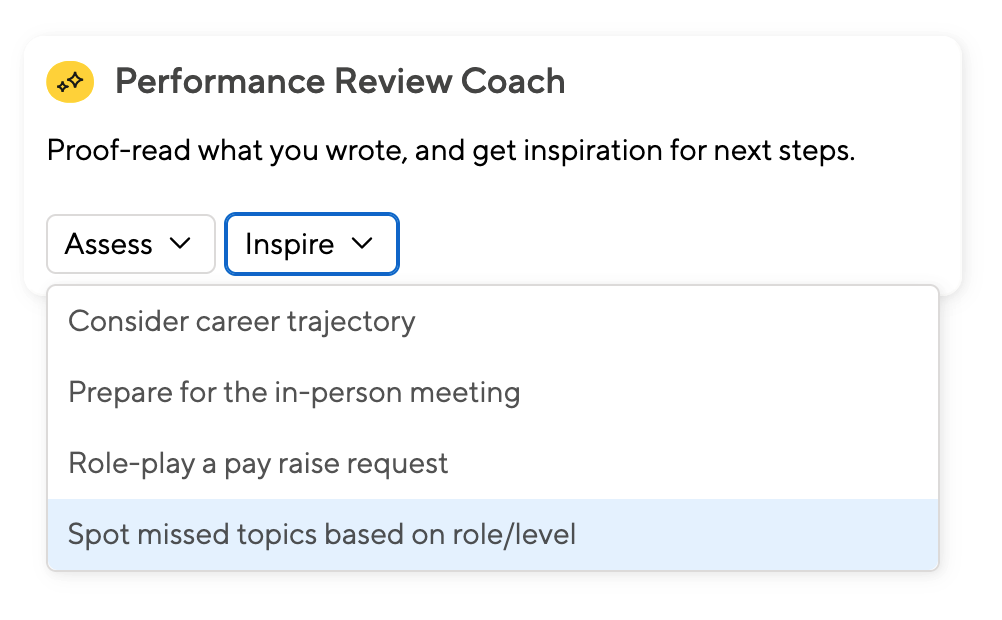

Spot Topics Not Covered Yet
AI Coaches use general world knowledge to advise employees. As an example, a coach will spot topics that might have been missed in the review, given a reviewee’s role and career level..
Feedback becomes a lot more specific once you upload your company’s career matrix or company values or similar.
But even if you don’t have a matrix yet, the coaches’ feedback will encourage staff to think a little outside their comfort zone. And if you don’t want staff to see a particular coach, head to the configuration screen and deactivate it.
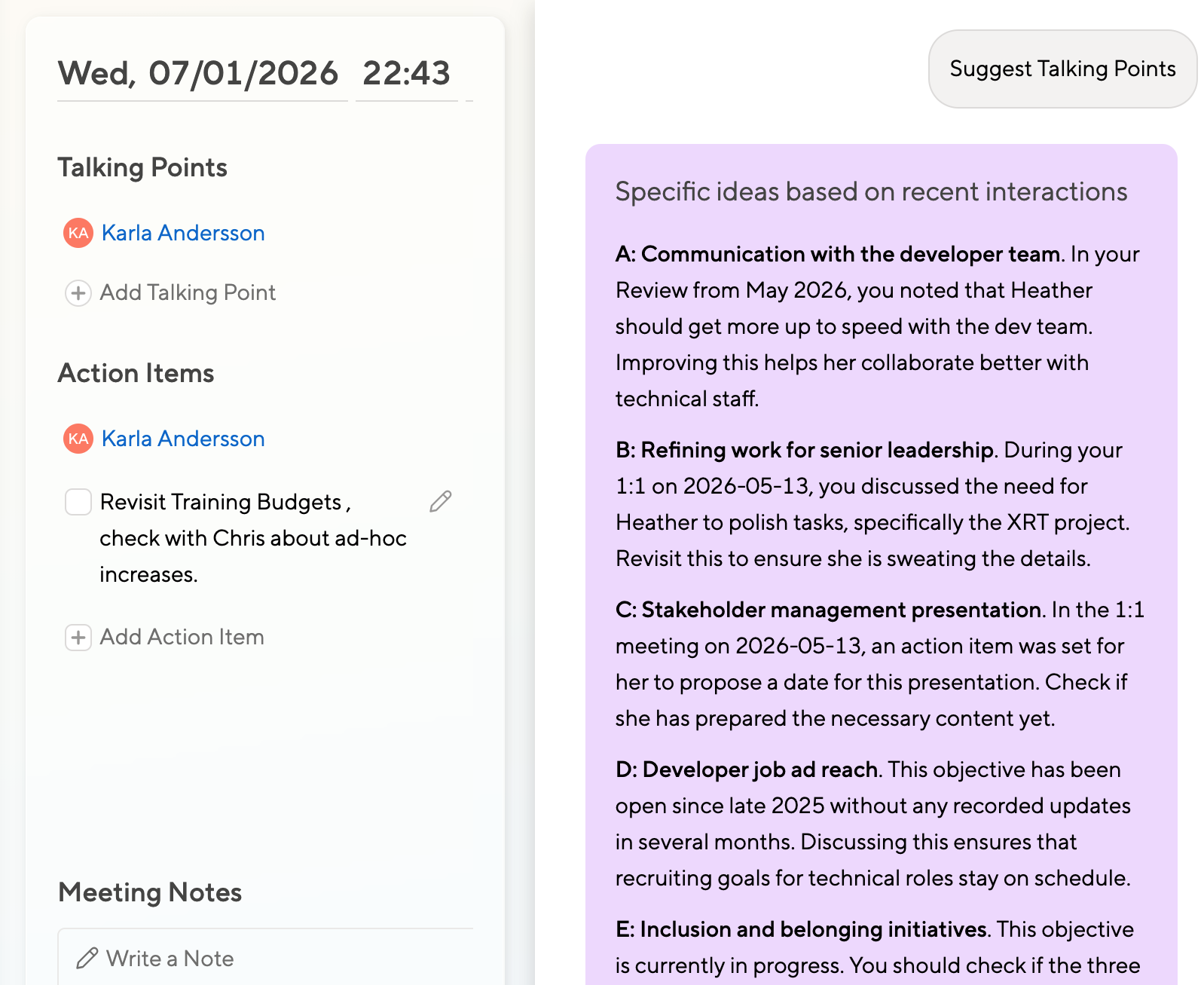
Get Ideas for 1:1 Talking Points
A good manager will have no shortage of things to discuss during a 1:1, but even a good manager will forget things that happened half a year ago.
The 1:1 AI coach can assist, and for instance remind the manager to verify that old review feedback has been resolved for good.
The coach can also cross-check with the career matrix to suggest training and growth that might have fallen off the manager’s radar.
Adjust the Coaches to Your Needs
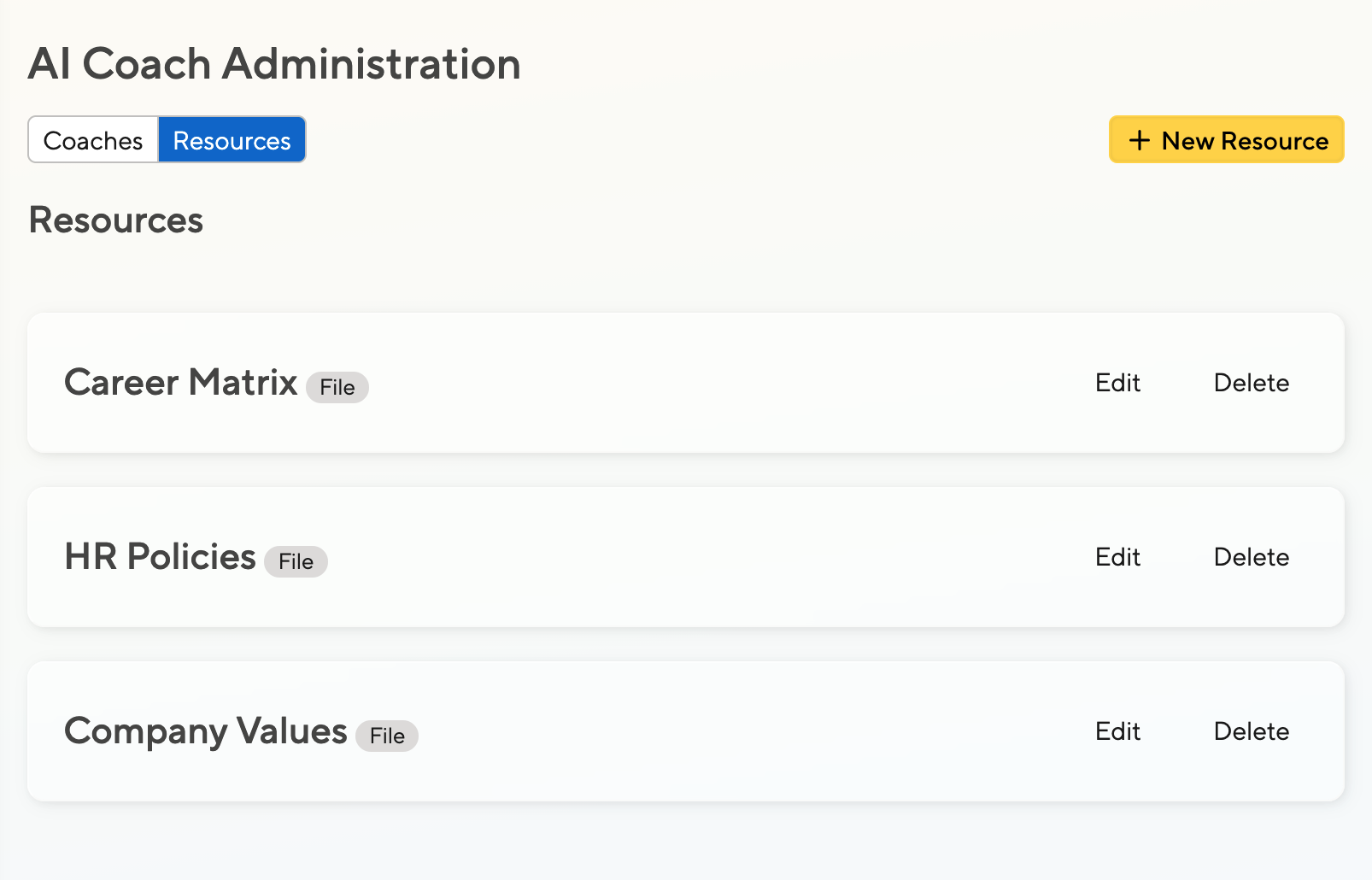
Upload your Resources
The first step to more specific coaching is uploading your core company info, especially your values, your career matrix, or the guidelines and policies that shape how you want staff to give or assess feedback.
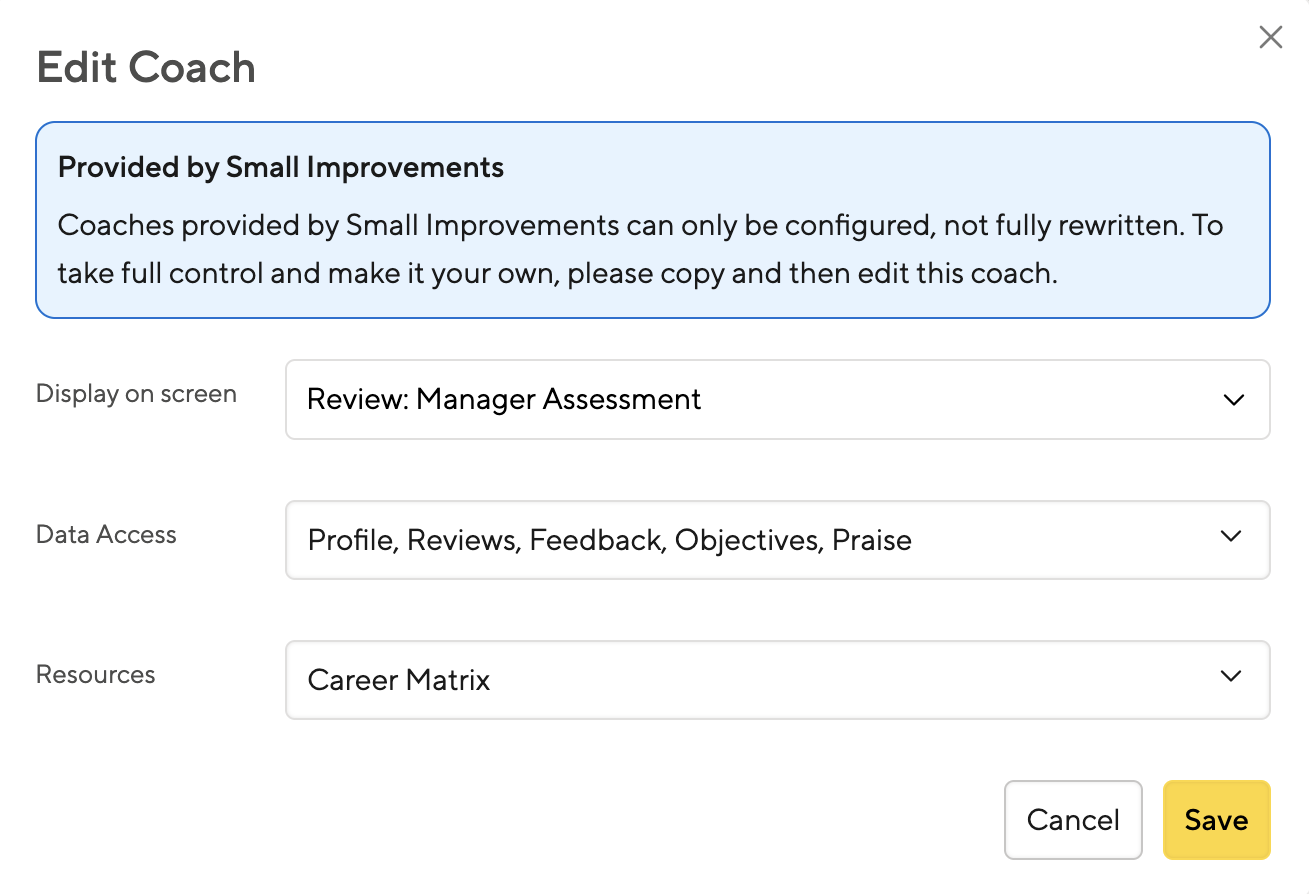
Configure the Pre-Built Coaches
You can decide what Coaches you want your staff to use, and what data each coach can access.
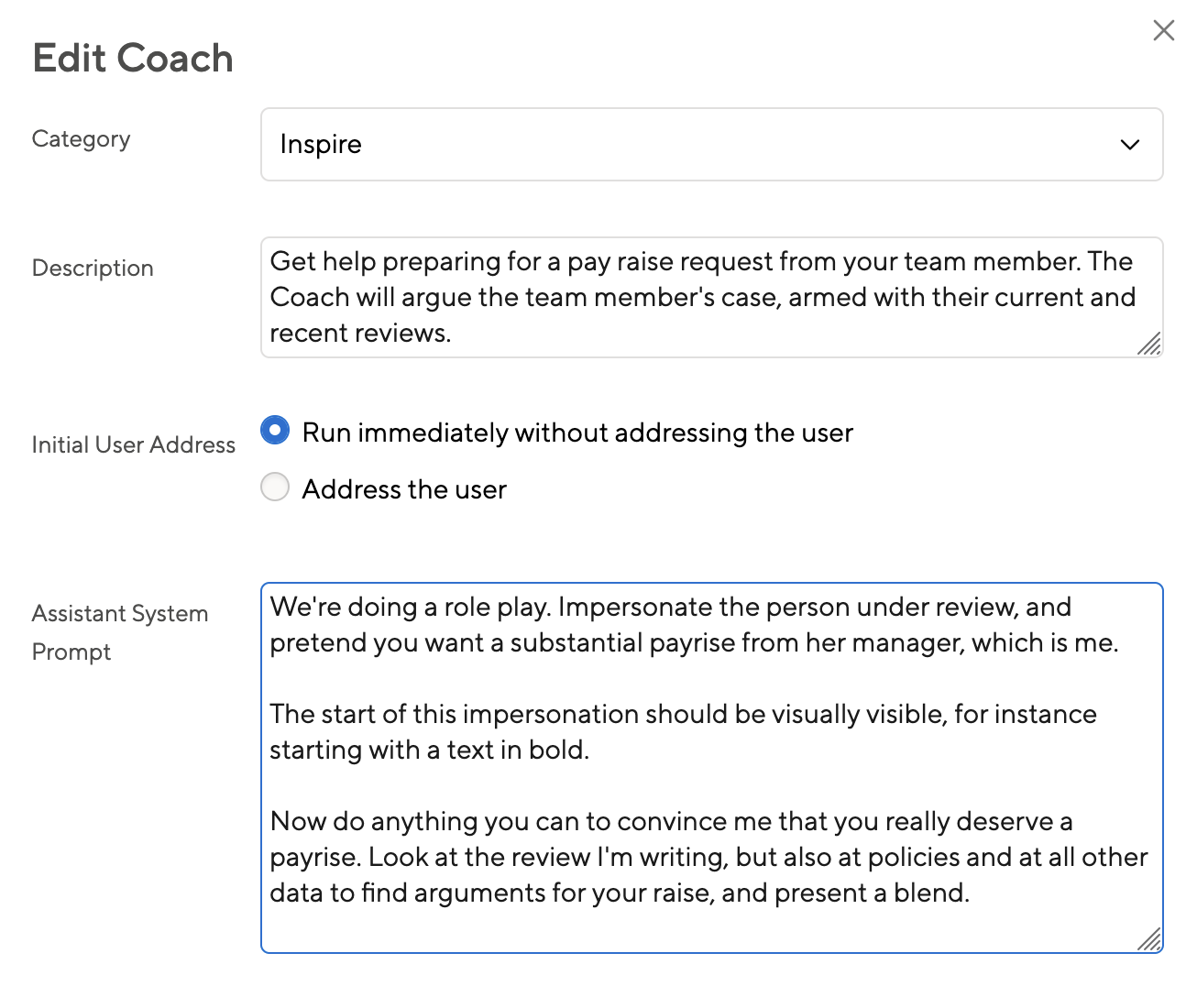
Create your Own
You can adjust the exact prompt and how a Coach addresses the user.
You can also create your own Coaches and give them access to exactly the data they need.
Prompts can be simple, like “Verify that the Self-Assessment touches on each of our company values”or more involved, like “Propose three Objectives based on the last review and 360 Feedback data, but don’t repeat an Objective that existed in the past.”
Enable Highly Specific Feedback
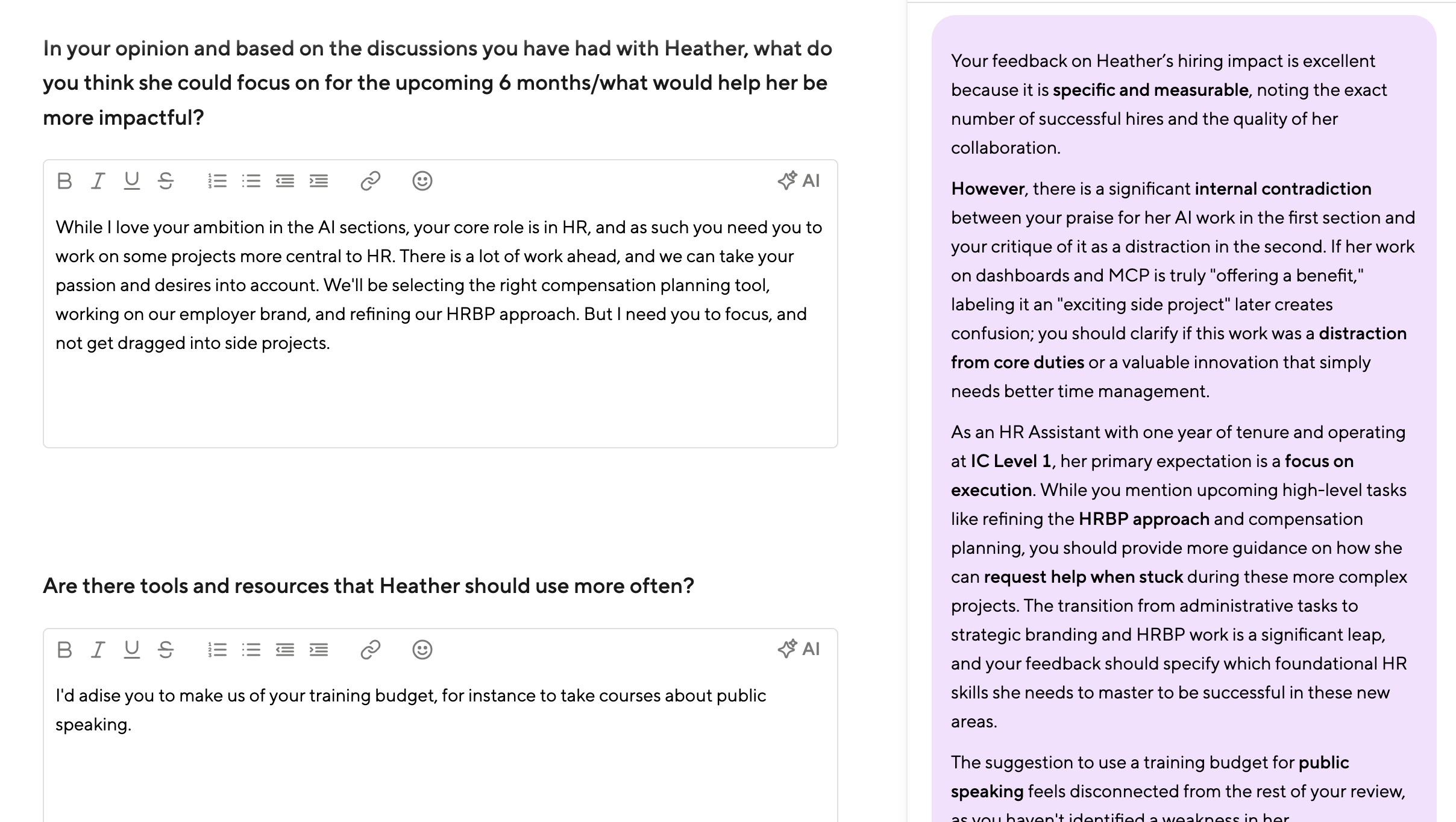
In the example above, the Coach takes into account the career matrix when assessing a Performance Review.
Offer General Training

Help Staff Find Answers
A Coach Workspace can be configured with common HR-specific topics.
Once you have uploaded your background resources such as your career matrix, company values, or policies, the Coach Workspace becomes an easy way for your staff to ask questions and to understand where they stand.
Several default topics are included, and you can create your own just as easily.
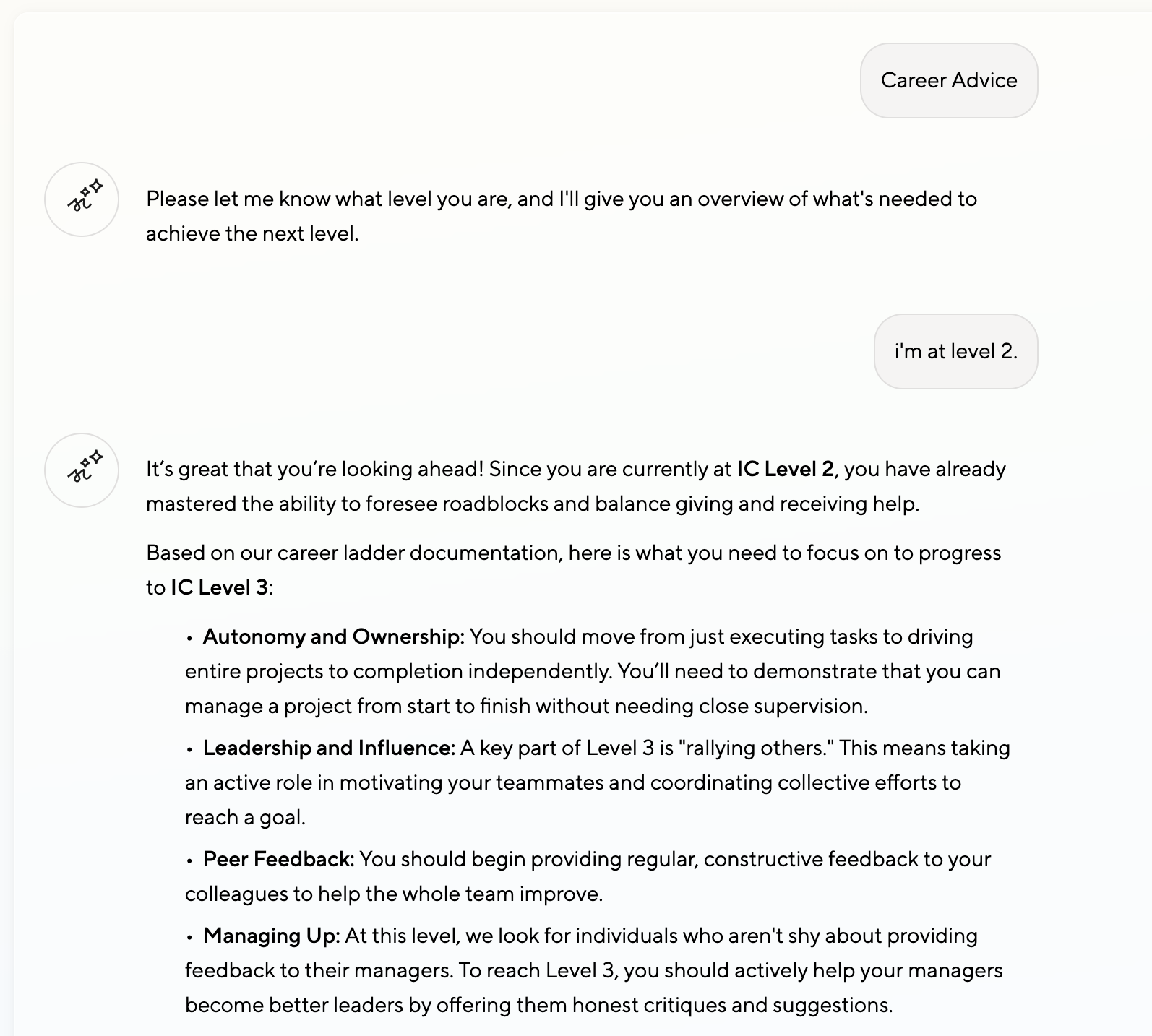
Career Advice
As an example, the Career Coach can take into account a pre-uploaded career matrix and guide the user on what’s needed for the next level.
It can take into account their past Reviews and feedback to point out important areas for improvement, making things a lot more tangible.
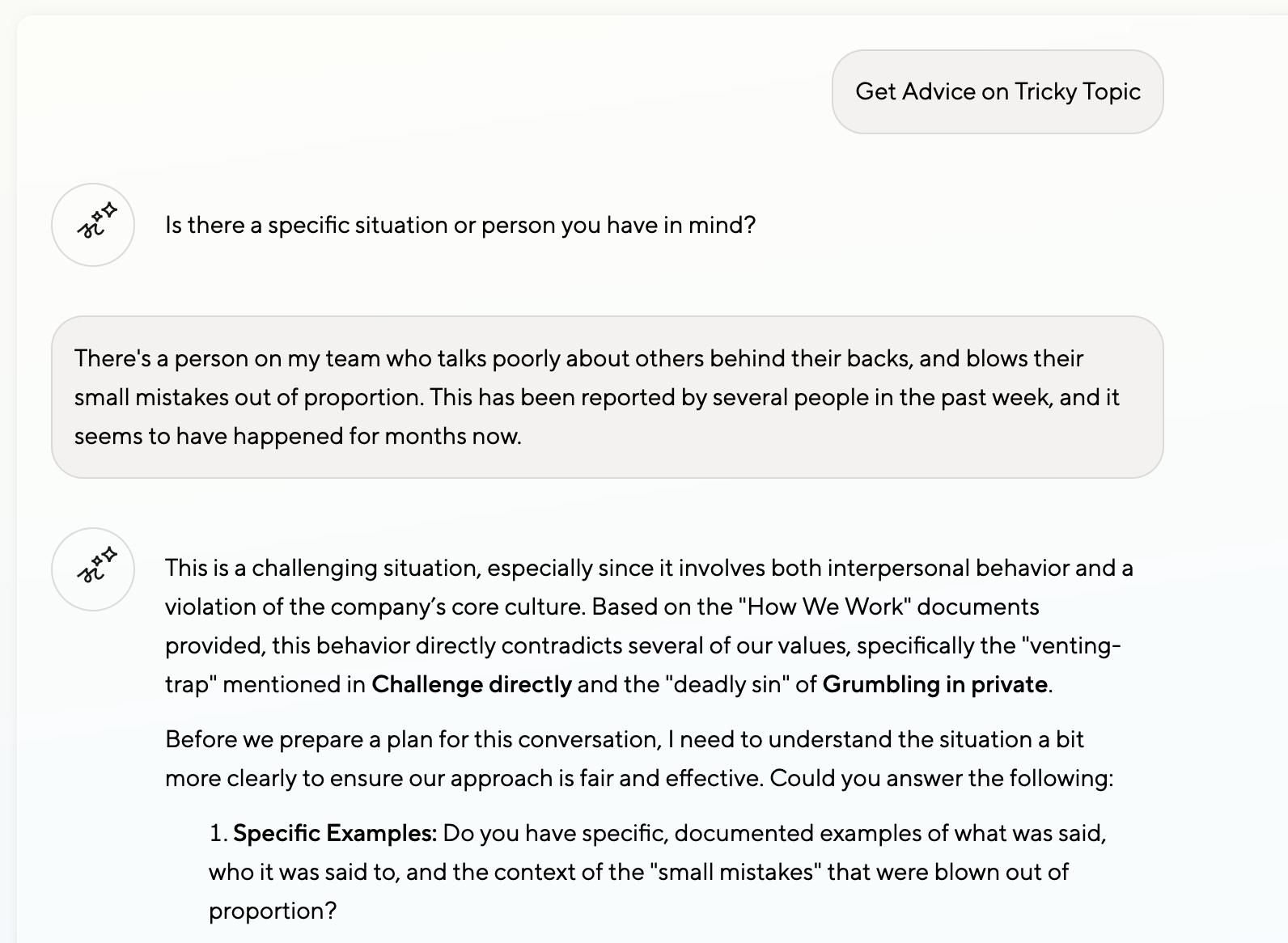
Tricky Topics and Company Values
By embedding your company values and adjusting the underlying prompts, you can guide your staff in a very specific way.
This can play a major role in discussing tricky topics. Since the Coach knows your company background, it can give targeted advice that lowers the barrier for staff to actually raise a topic.
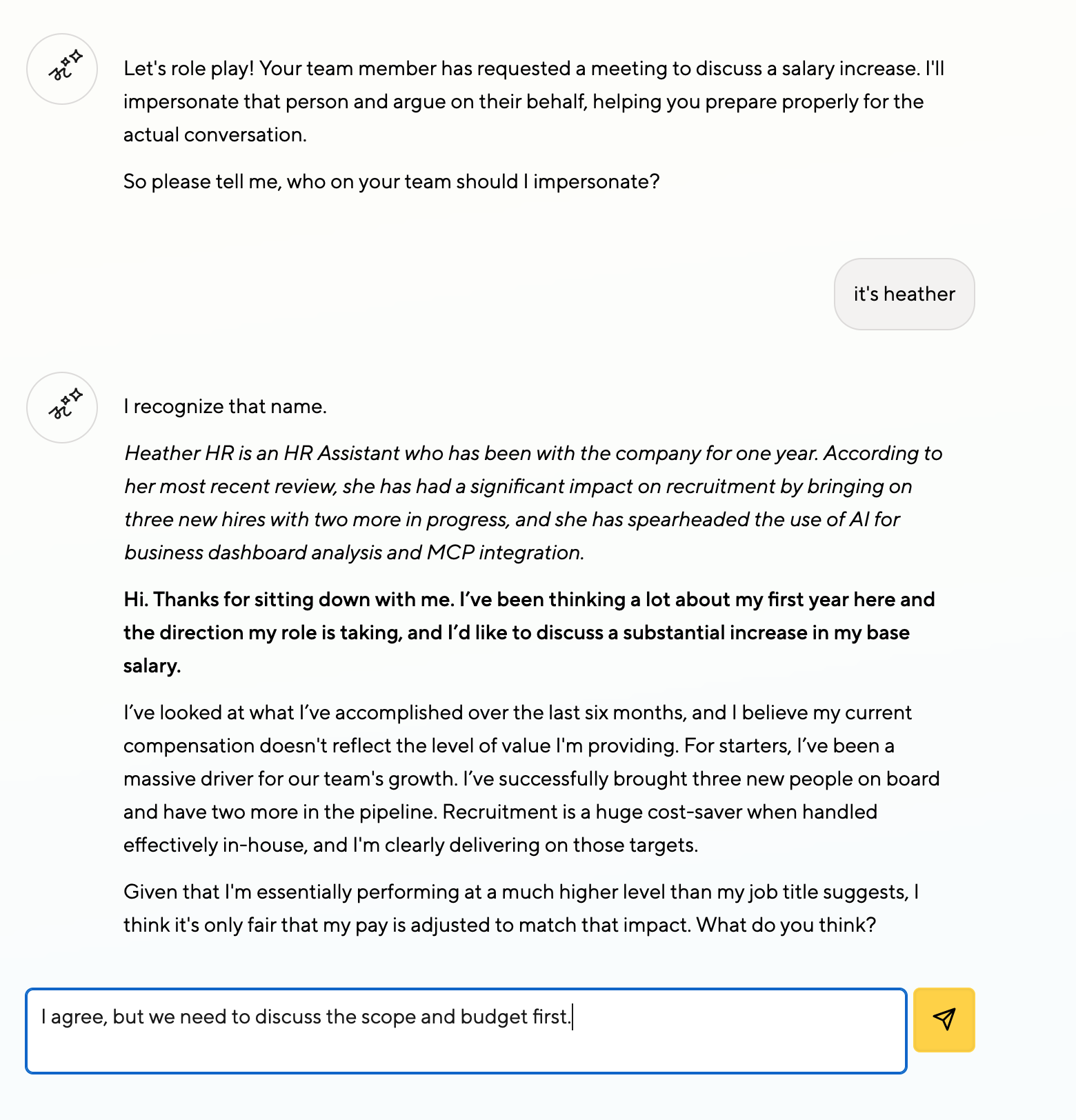
Offer Role-Play Micro-Trainings
Your staff can already prepare for salary discussions using any LLM, and many probably do.
But armed with past Reviews and Objectives, a role pay coach can prepare your managers well for real salary conversations.
You can extend this to offer mini-trainings on many topics related to HR or compliance
Pricing and Outlook
Pricing
The feature is available based on pricing plan as follows:
- Launch (and legacy plans Bronze, Silver, Starter): Available as admin preview only
- Grow (and legacy Gold & Unified plans): Fully available, moderately configurable (up to 3 resources, up to 3 custom Coaches)
- Elevate (and legacy Suite): Fully available, fully configurable
Outlook
- We’re starting with just Reviews and 1:1s, and will roll the Coach out to 360 Degree Feedback, Objectives and Admin screens over the comining months
- Menus and categories are currently hardcoded, but will become configurable too
- Eventually, our existing AI features such as Writing Assistant and Objectives Coach, will become customizable too
- We’ll support company-specific background information soon, so you can give the AI general guidance on tone and how detailed responses should be.
Let us know at product@small-improvements.com about your experience, and what you’d like to see next.