Performance Reviews Your Team Will Actually Complete
Reviews fuel growth, but only when people finish them. Small Improvements makes it effortless for employees, painless for managers, and insightful for HR.
Let us handle the heavy lifting, and help you with fairness, training, and retention of your best people.

No Training, No Friction, No Obstacles

"Easier to navigate, easier to administer, and easier to explain internally"
Our core focus is “Ease of Use”, so that your staff will actually write helpful reviews. Completed reviews are the basis for everything else, after all.
Read the Interactive Strategies case study on how ease of use helps, or use the arrow to browse actual screens that your staff will encounter.
A Calm Experience for Managers
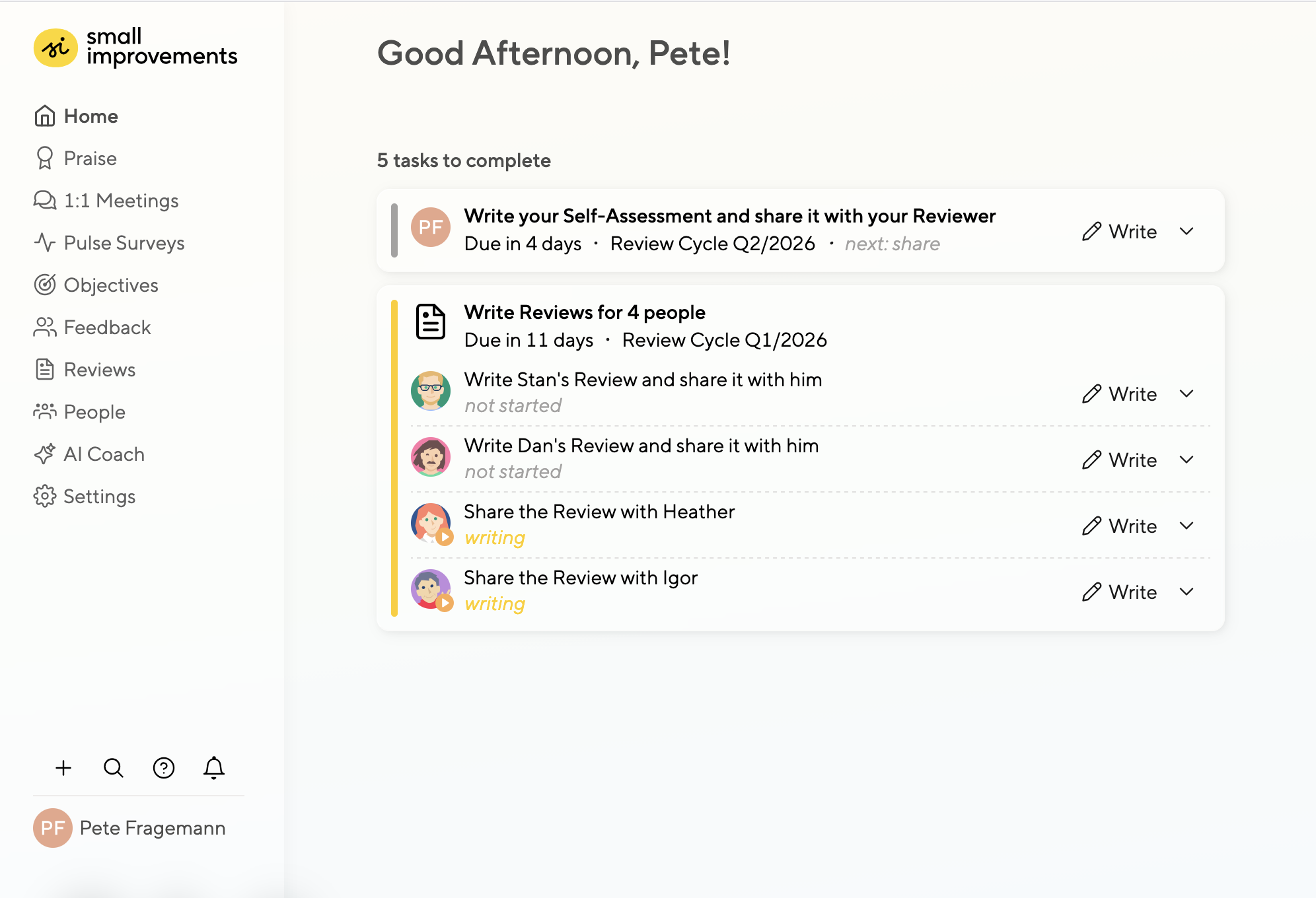
Managers carry the heaviest review load. Give them clarity, not clutter.
Their upcoming tasks are surfaced prominently on the dashboard and via email or Slack.
And during crunch time, you can disable non-essential features entirely, so managers can stay focused on what matters.
Minimalist Design
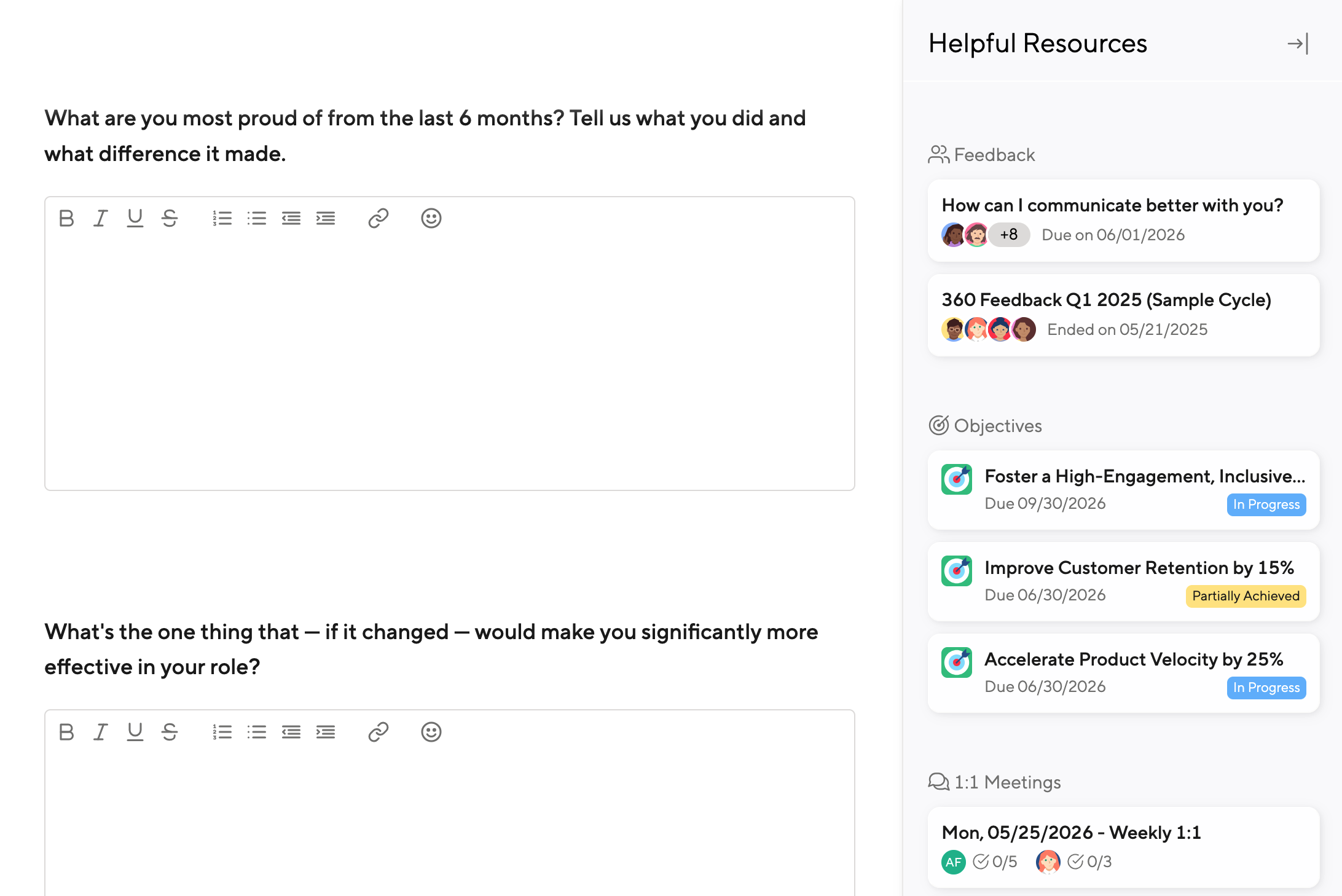
Small Improvements keeps the Review experience clean and focused, no onboarding required for end users.
Every screen is stripped to the essentials, so employees spend time on reflection, not navigation. And when context helps, relevant Feedback, Objectives, and 1:1 Meeting notes are one click away in the sidebar.
Ensure High Quality with AI
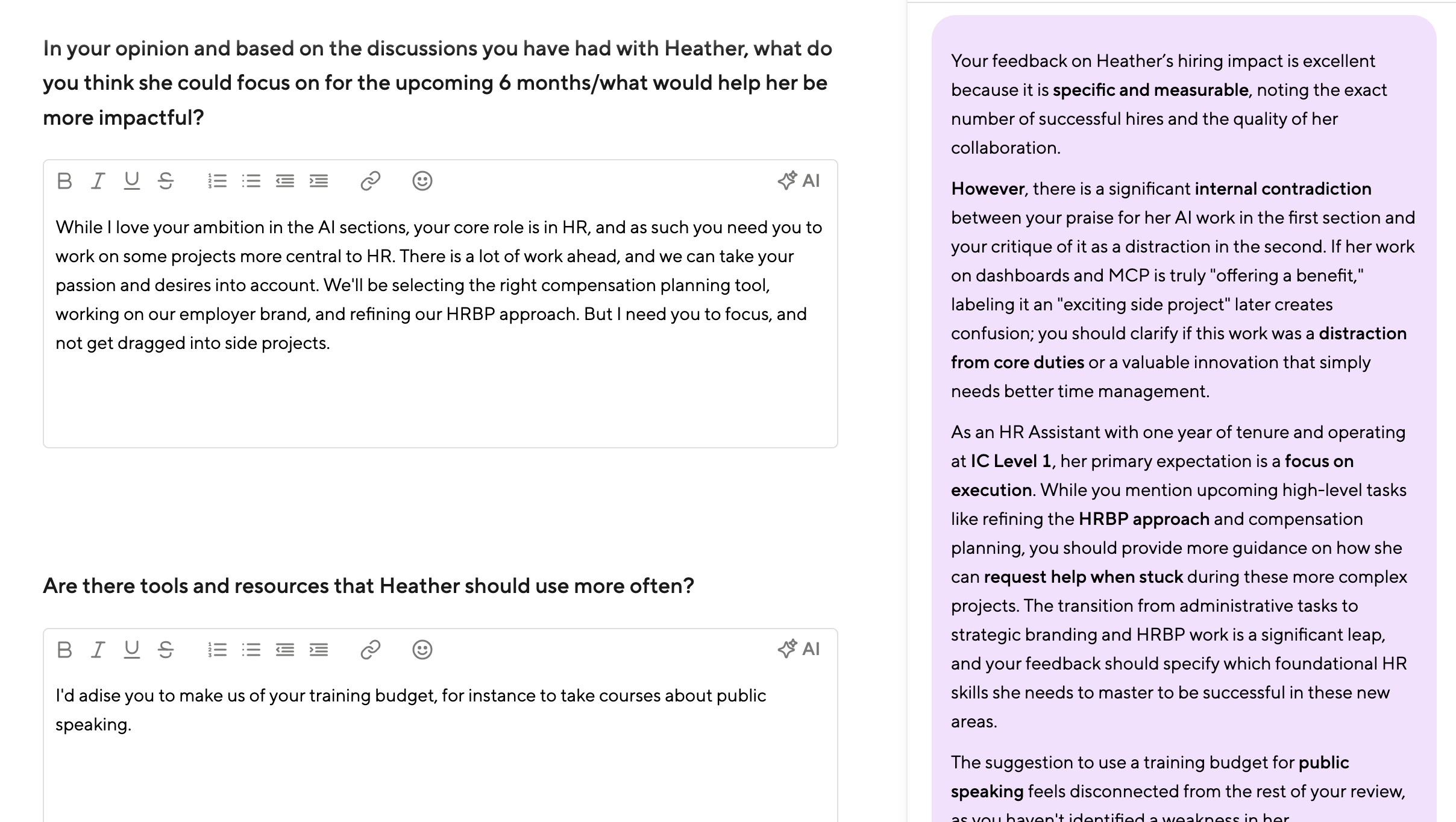
Help your team write reviews that actually mean something.
Our AI Coach draws on past Feedback, Objectives, 1:1 Meeting notes, and your company’s career matrix and values. This helps spot inconsistencies, and guides reviewers toward writing about measurable impact.
All within a distraction-free design.
Ensure Fairness and Completion
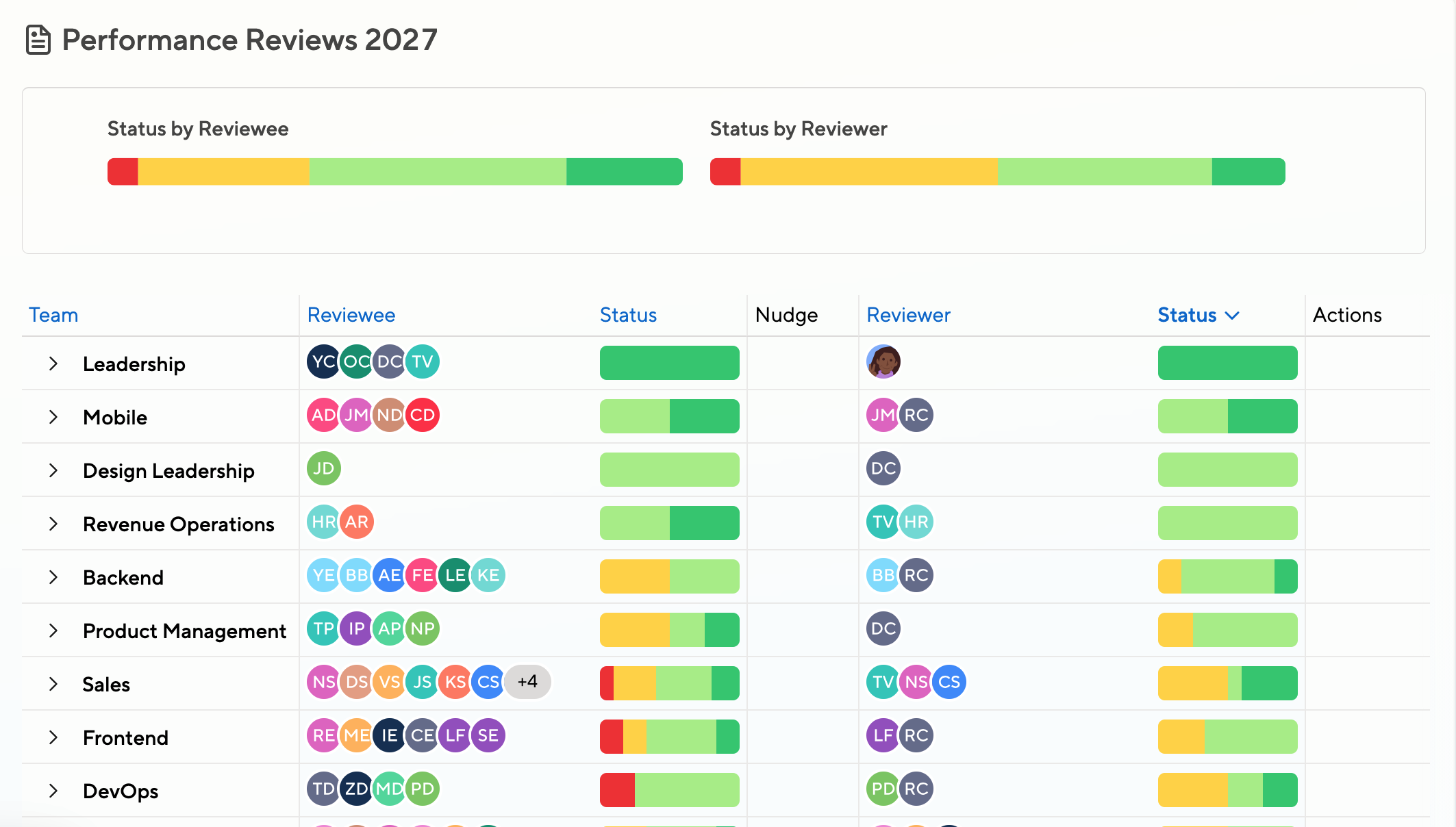
Your Review Command Center: See charts, track progress, and manage every review, all from one clean dashboard. Watch the video above for an overview, or sign up for a trial to experience it live.
Full Transparency into Progress
See at a glance who’s done, who’s behind, and which departments haven’t even started. Send targeted nudges without leaving the dashboard.
Want to see progress by location, entity or division instead? Group reviews any way you like.
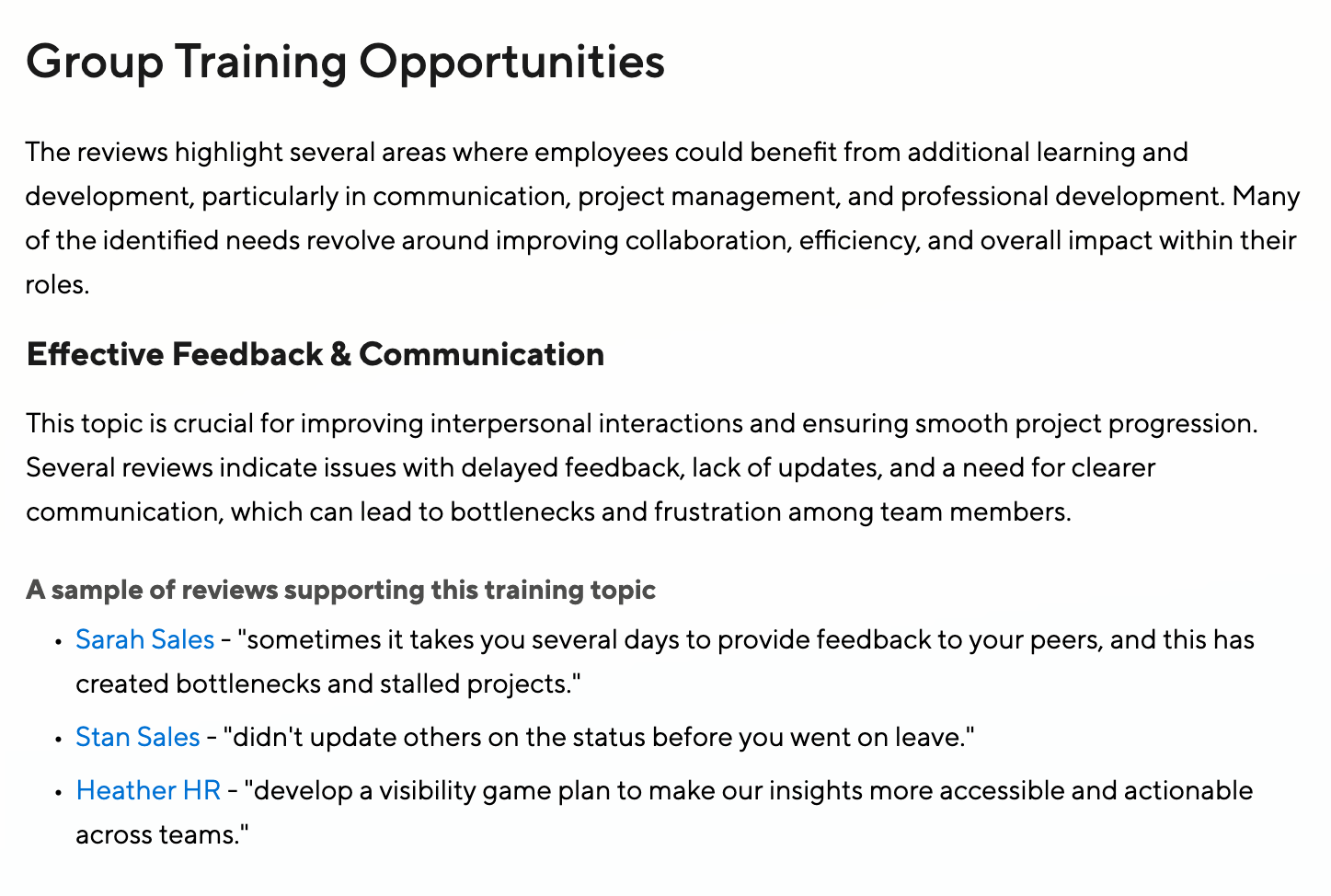
Calibrate across Groups
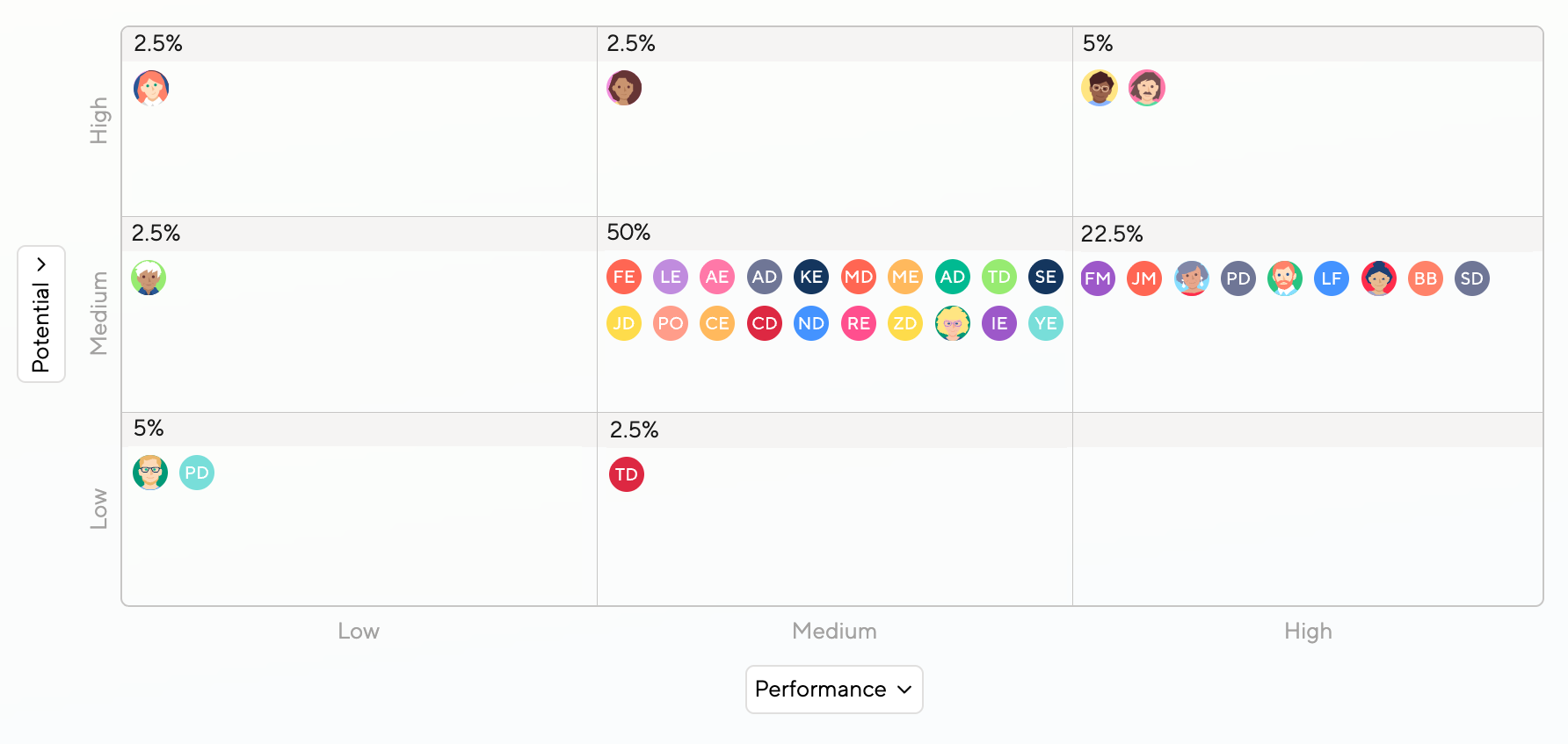
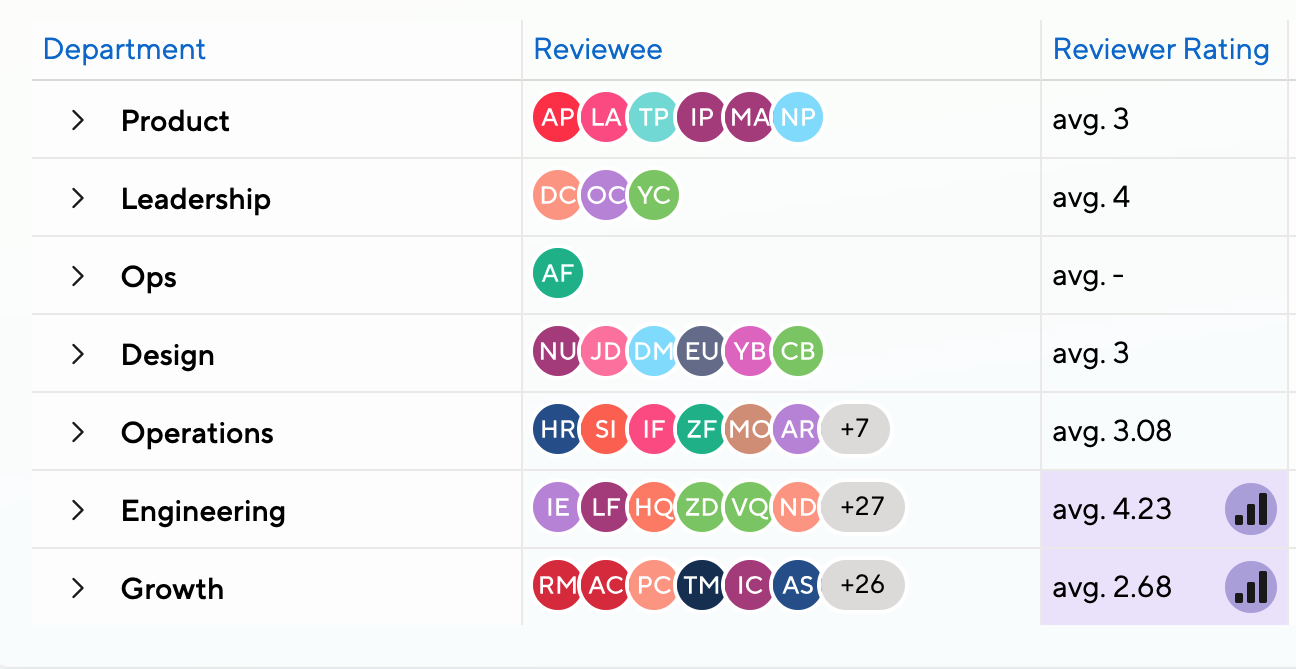
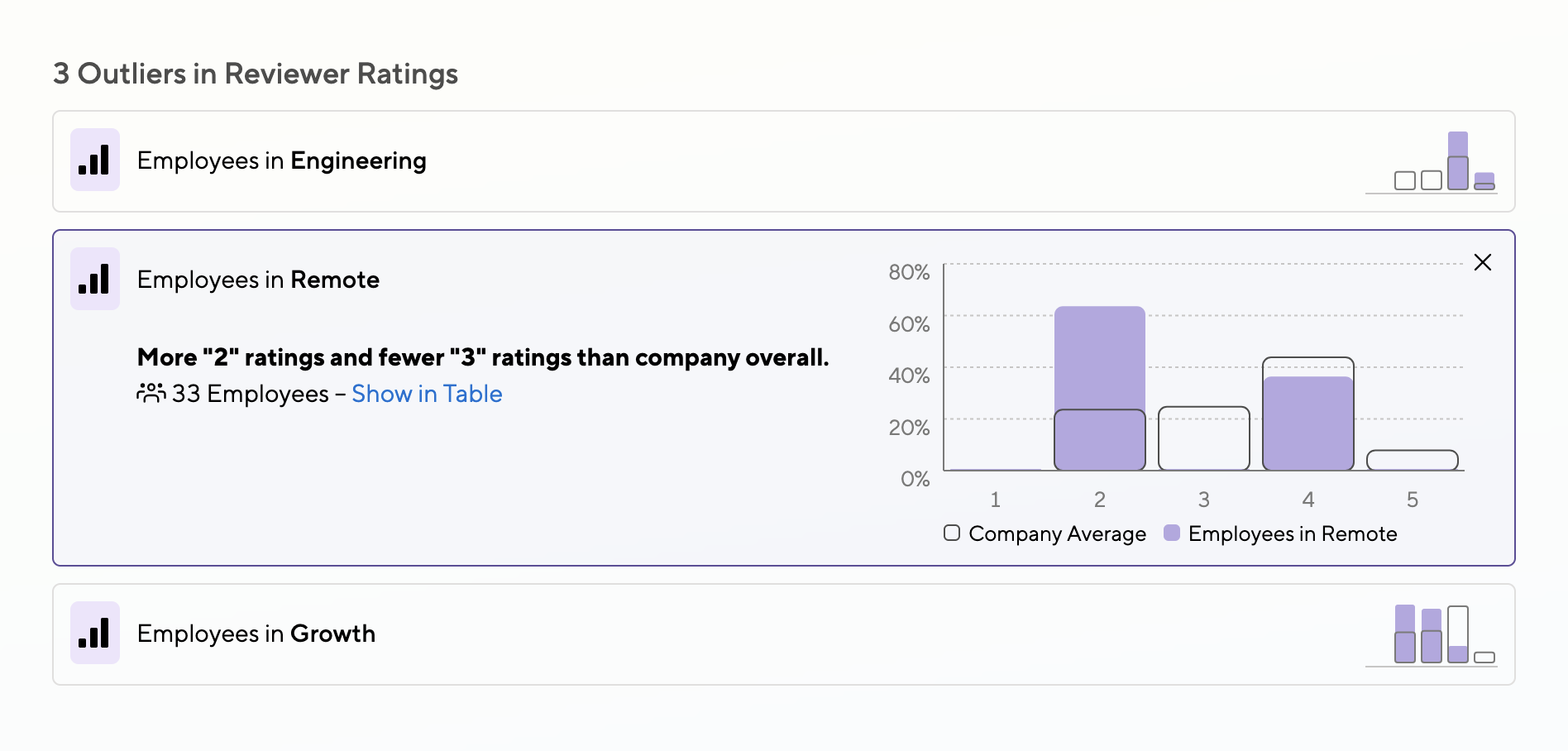
Once ratings come in, check in on averages and distributions.
Not everything needs to look like a bell curve, but you’ll want to spot gaps between departments, locations, or genders before they become a fairness issue.
Learn more about Review Analytics or about AI Review Insights.
Keep Management in the Loop
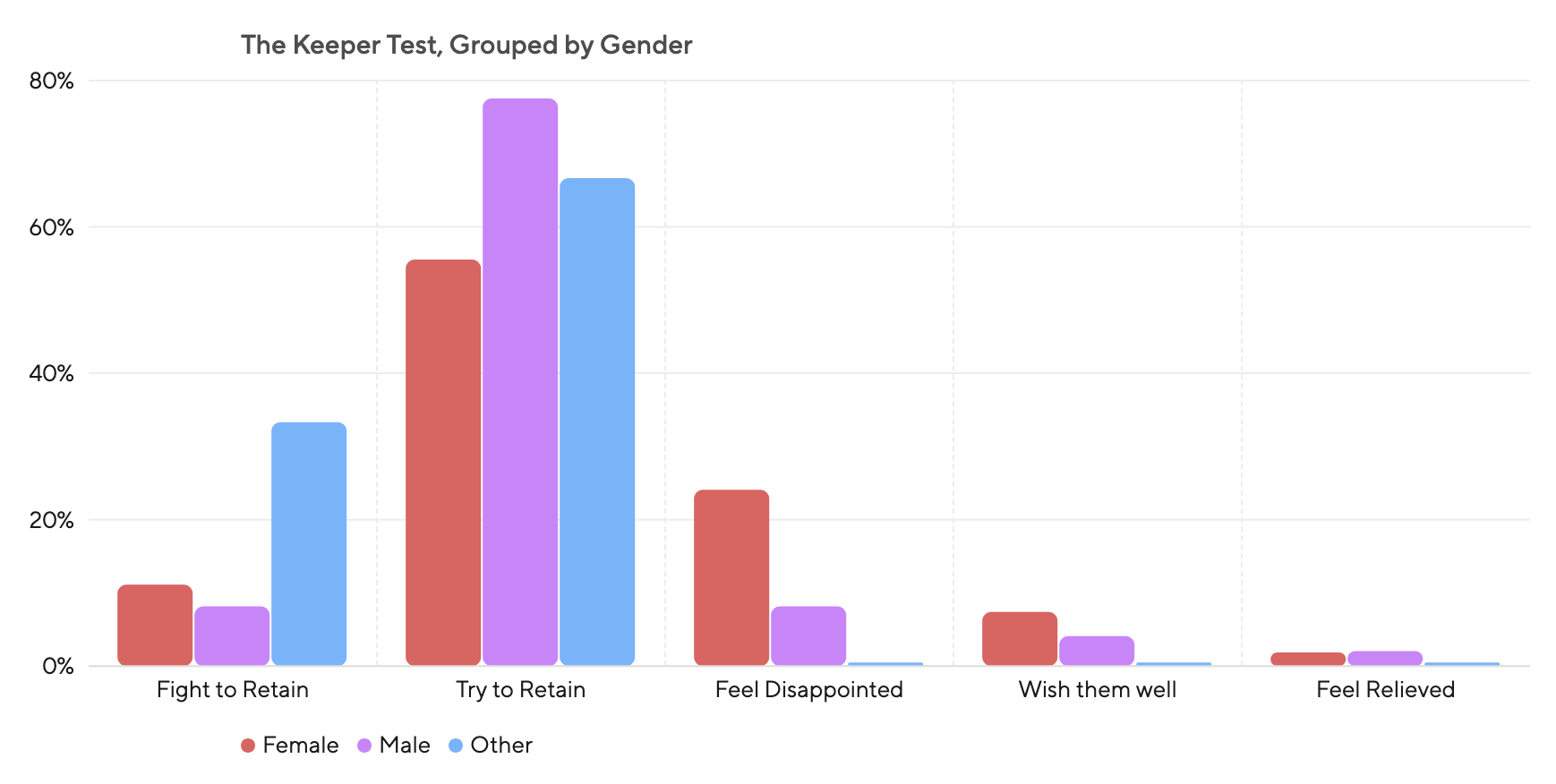
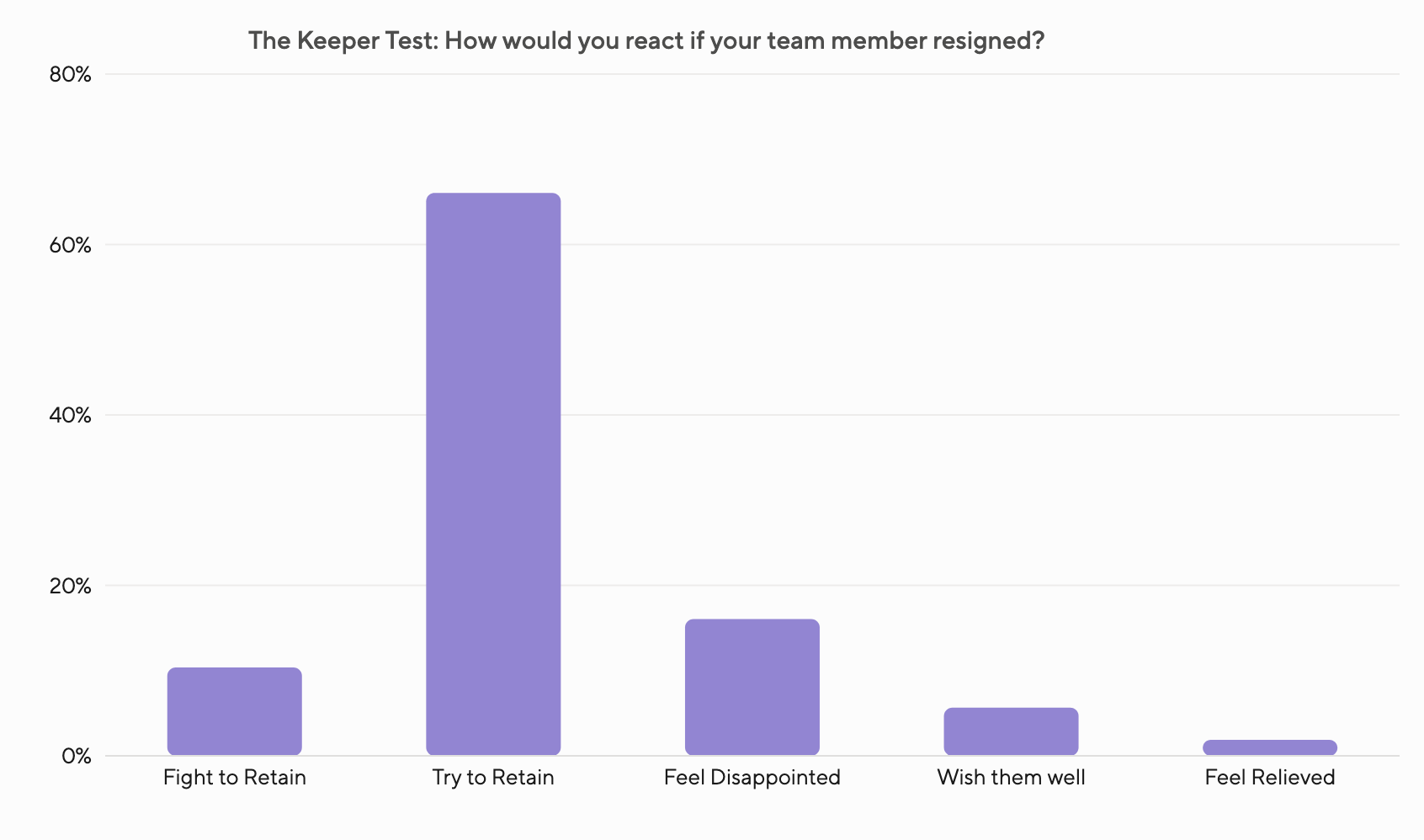
Need something for the board? Build summary charts, like a distribution of “Keeper Test” responses, in seconds. Shareable, polished, and still fully interactive when you need to drill in.
Erica Lawson
Senior HR Manager at Interactive Strategies
Kick off Reviews with Confidence

Lean by Default
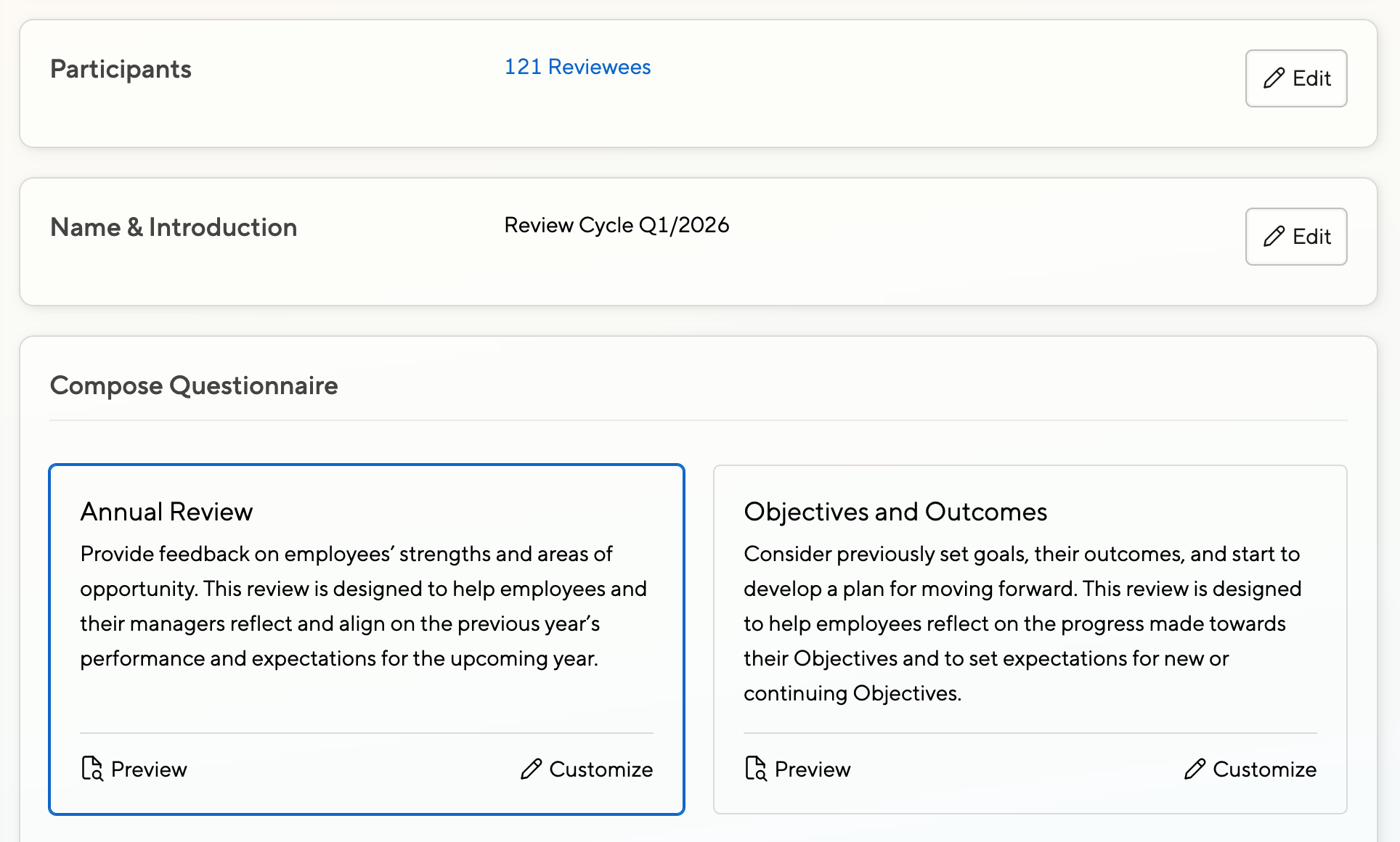
Kicking off reviews can be daunting, so we optimized with busy HR admins in mind. You merely need to pick your dates and your questionnaire, and are ready to launch.
But don’t just take our word for it, swipe left for actual screenshots.
Lean by Default
A wizard guides you through the setup process. After choosing dates and participants, you can pick a suggested questionnaire or create your own.
Questionnaires are streamlined so managers can easily complete them without feeling overwhelmed. High completion rates beat complex forms.
Launch with Full Control
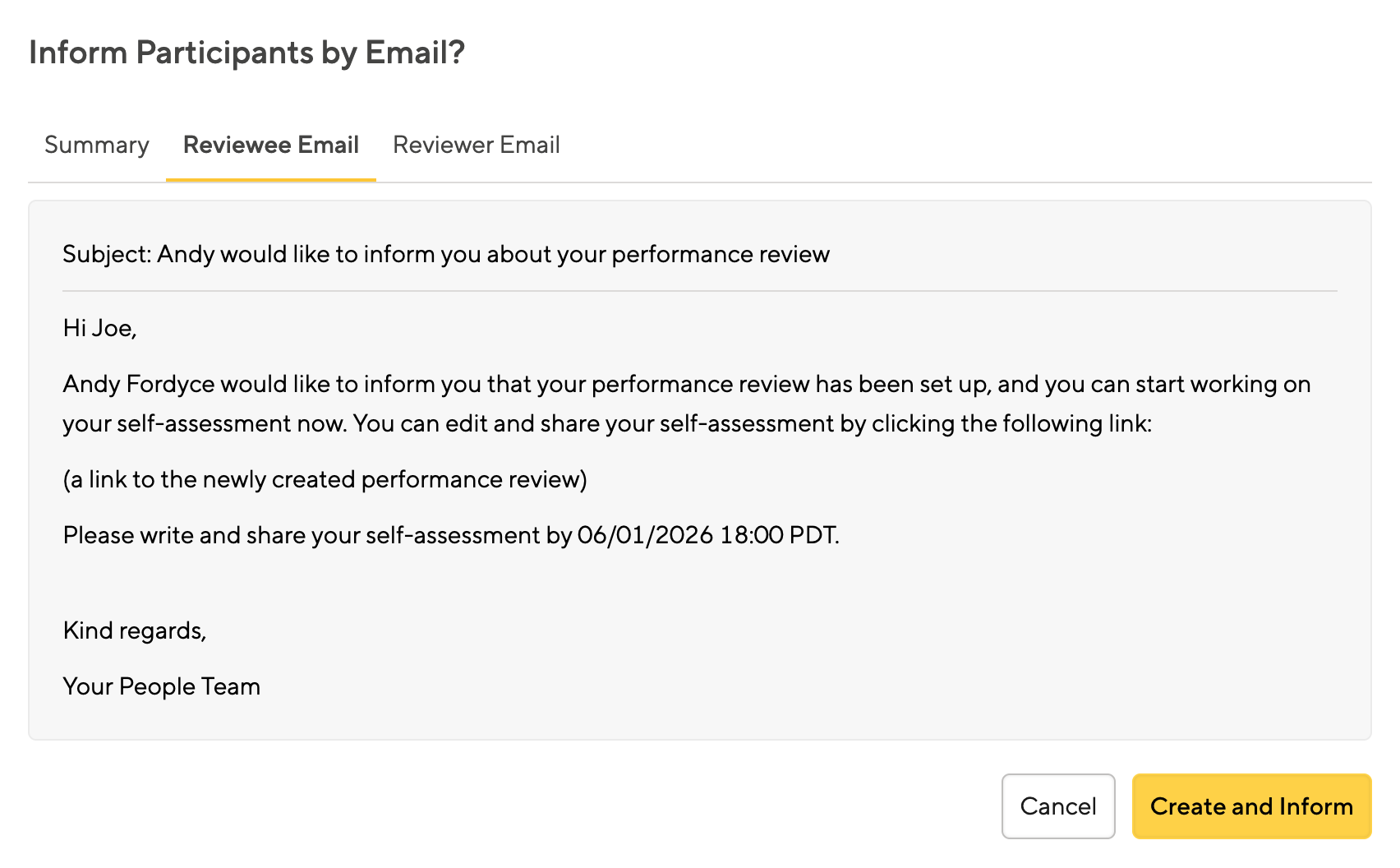
After setting things up, we’ll guide you through the launch notifications. The exact email will be shown prominently, giving you peace of mind before you hit send.
Exact wording can be adjusted, but most likely you’ll be fine with our defaults.
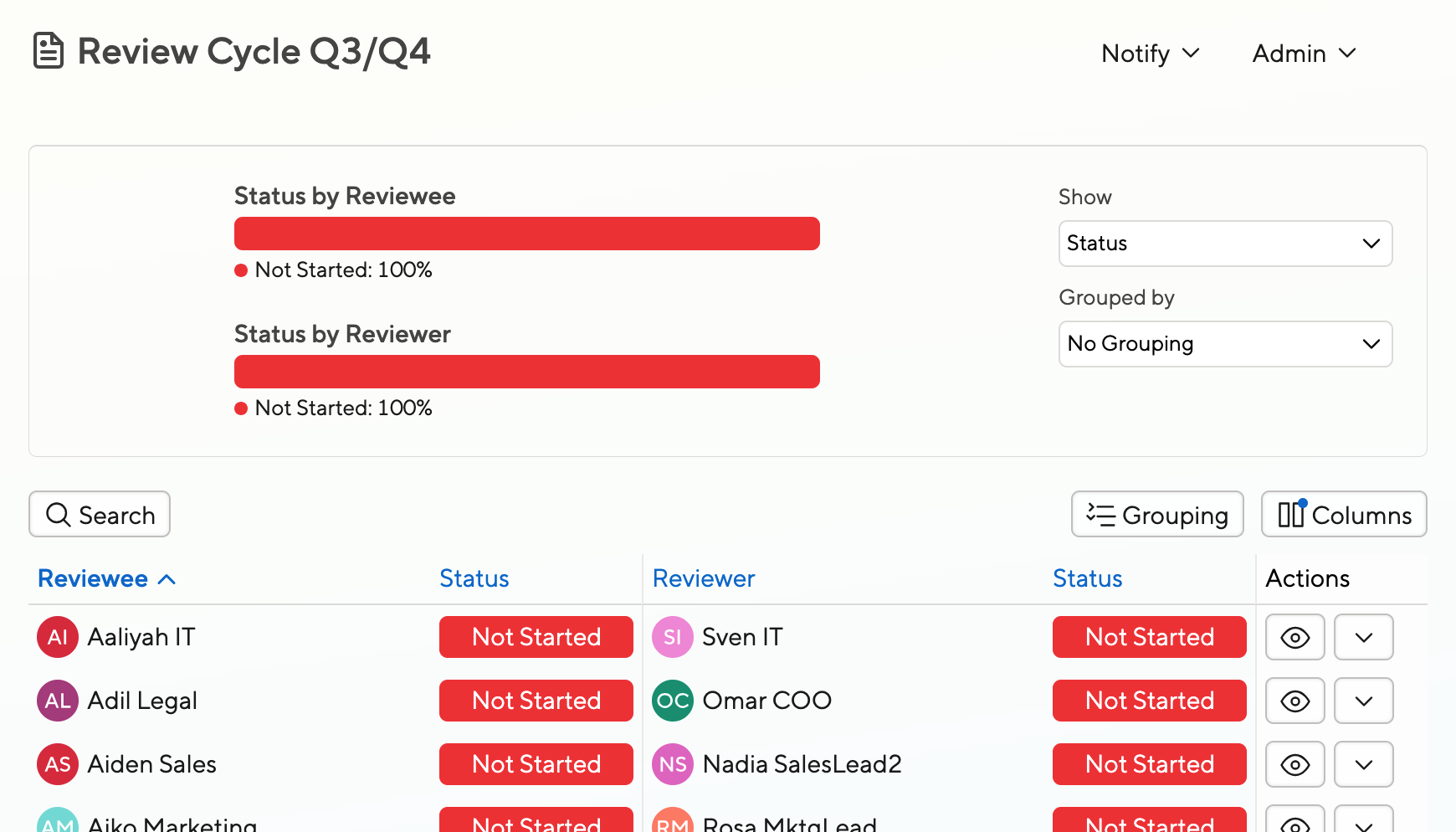
Track progress with ease
After launching, it’s time for a break. Your reviews list will look a bit boring initially.
But once people start working on reviews, you can track progress, check in with managers about their assessments, or give them a nudge where needed.
Adjust everything to your needs
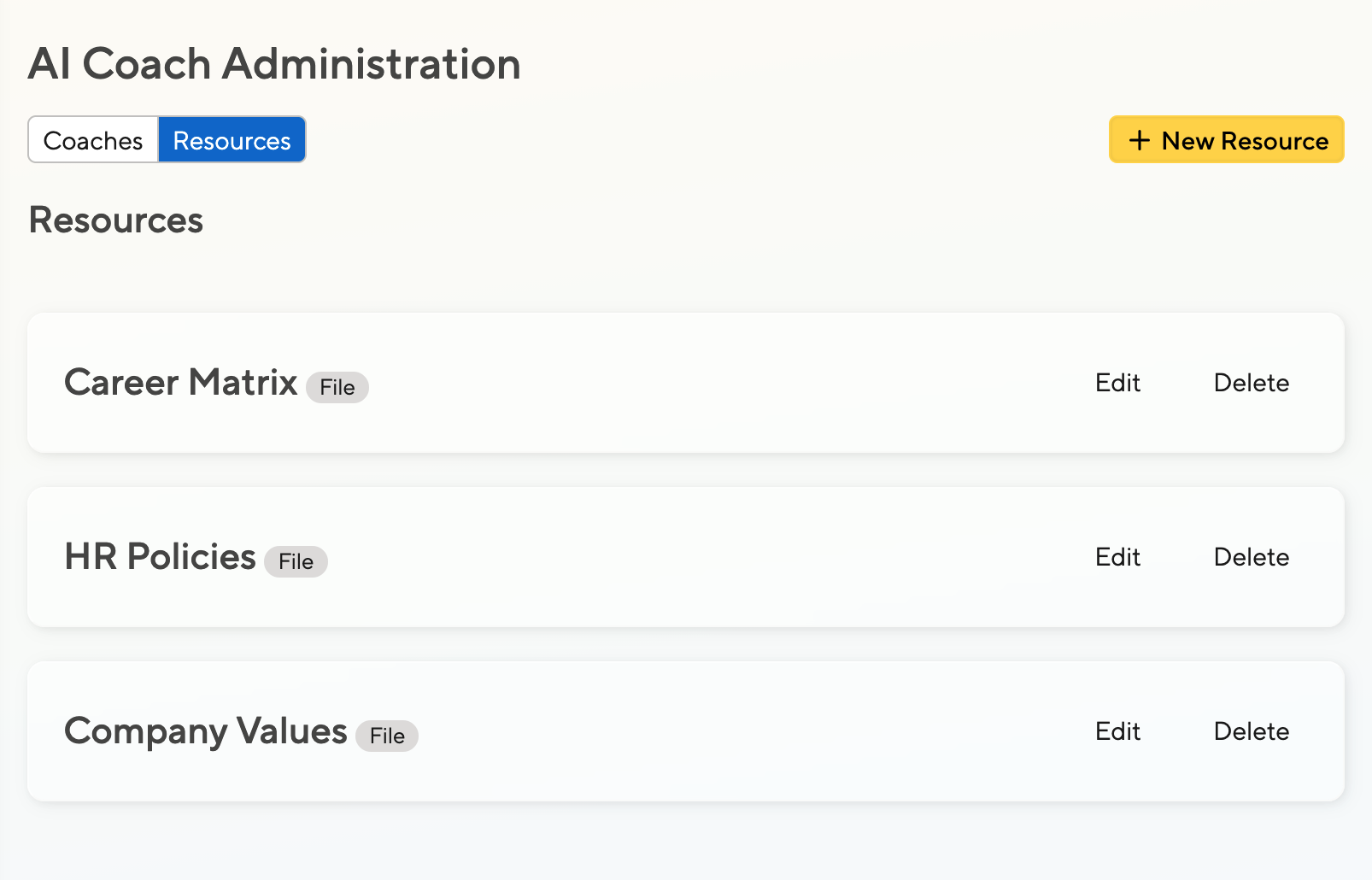
Fine-Tune the AI
Our default AI Coaches focus reviews on measurable impact. But you can create your own AI Coaches too, with full control over prompts and messaging.
Upload your policies, values, or career matrix so the AI will perfectly align to your company vision.
Learn more about our Adjustable AI Coaches.
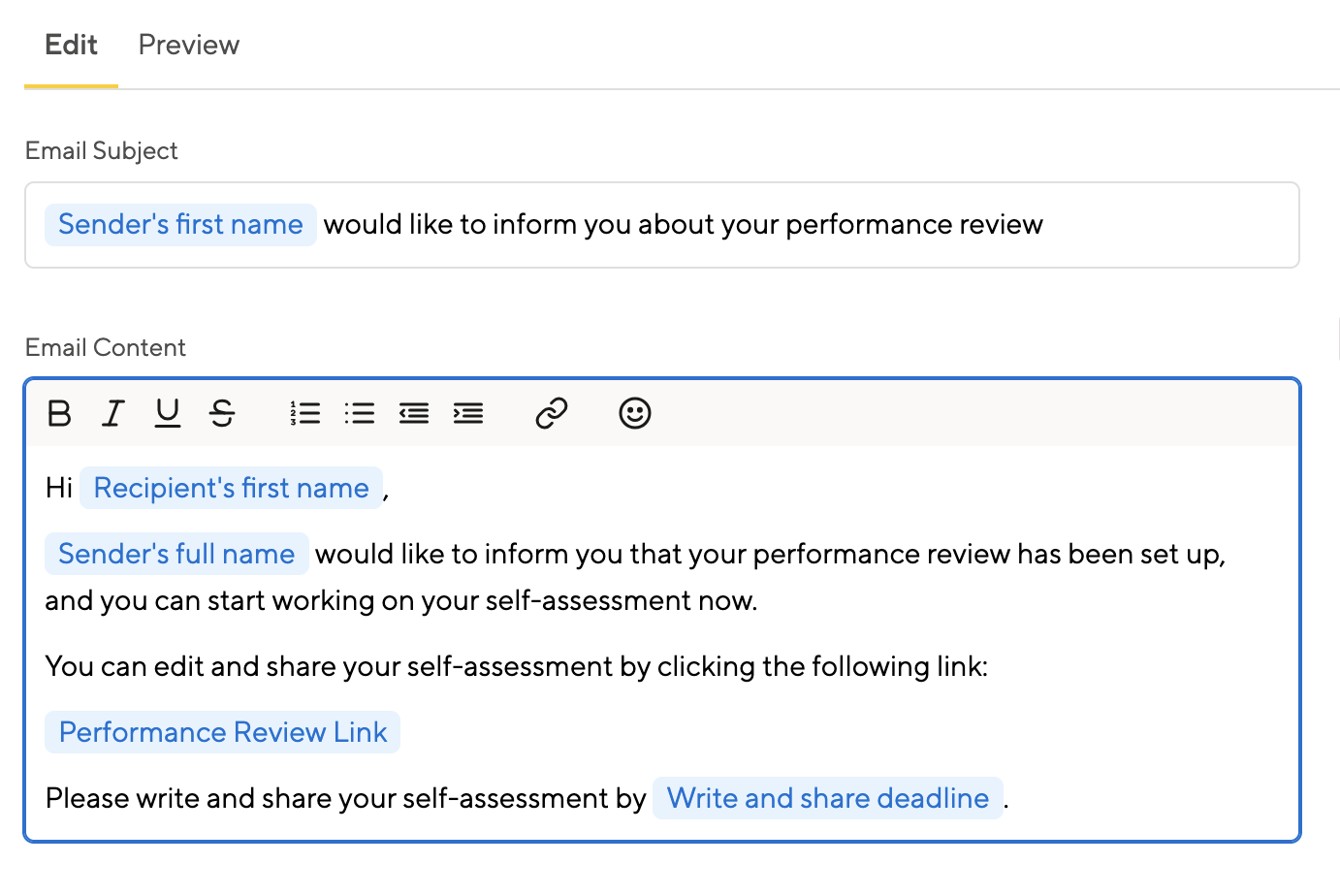
Smart Defaults, or Full Control?
We offer smart defaults that you don’t have to change at all. But if you want full control over the details, you can change everything from the UI’s wording to the reminder email details.
Want to hide self-assessments from managers until they are done? Allow indirect managers write access? Set up invisible grace periods? You’re in charge!
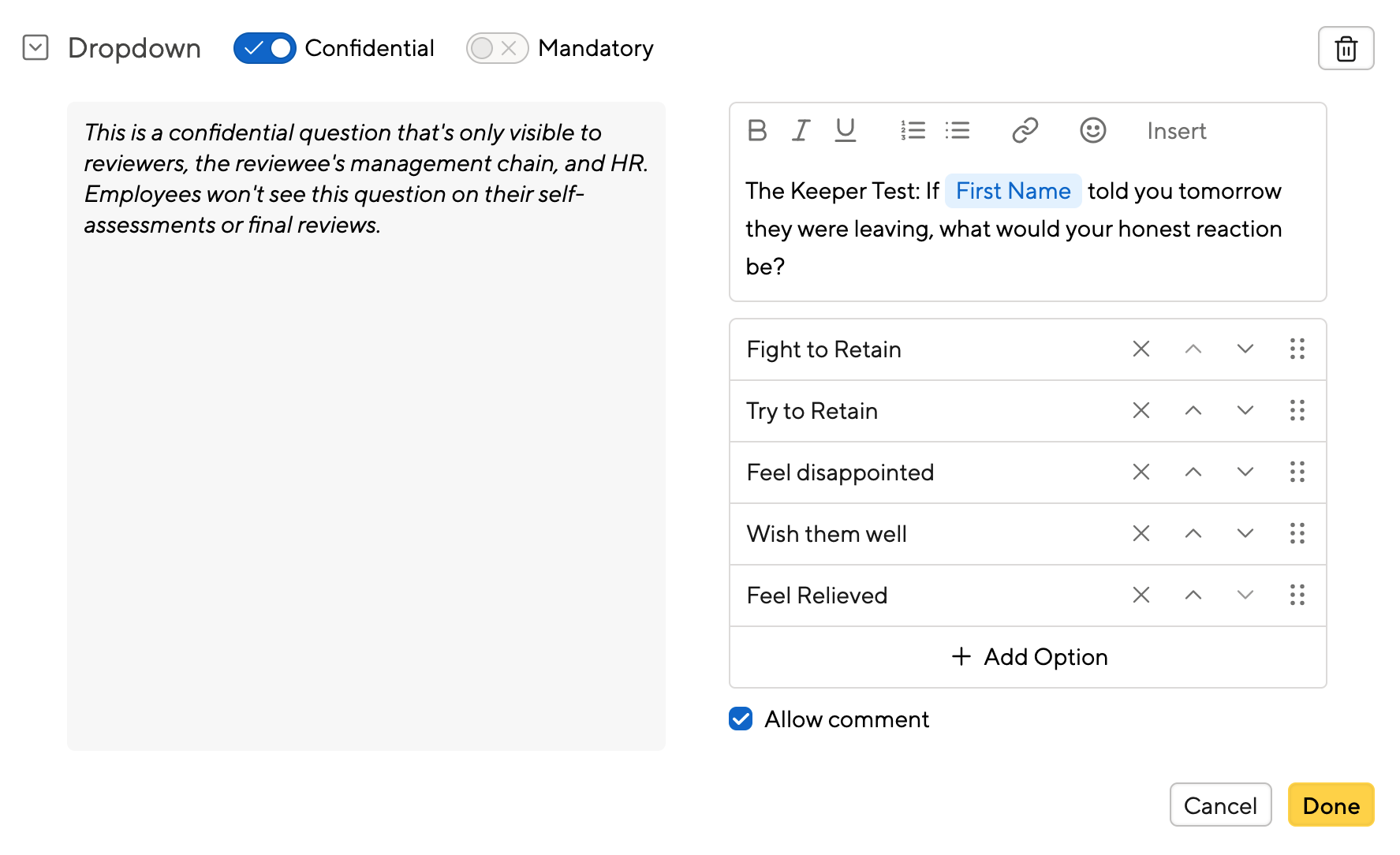
Formal Reviews or Lean Check-ins?
Looking for robust reviews with ratings and subratings and bell curves? Or do you mainly strive for alignment and career growth? We support either, and you can mix and match throughout the year.
You can create arbitrarily complex forms, although we’ll provide helpful tips along the way to ensure the experience remains smooth for your team.
Javier Acerdo
Talent Manager at Blue Bottle
Connect Reviews to Results
A review is not an outcome, but a starting point for future improvement. Learn how our other features are based on Reviews and help you take things further.
Goals and Objectives
A good performance review will contain tons of ideas for an employee to improve. Let AI assist your staff in turning ideas into live Objectives.

Pulse & Engagement Surveys
A positive review is a retention mechanism in itself, but what if staff quit for other reasons? Conduct Surveys to discover what actually irks your top performers.

Follow up in 1:1s
Our 1:1 feature helps staff prepare for meetings and take action. Built-in coaches ensure that past reviews aren't forgotten about, but resurfaced in bite-sized reminders.
Frequently Asked Questions
What is a Performance Review?
A Performance Review is a structured process where a manager, and often secondary managers or department directors, evaluate an employee’s work over a set period. It typically covers achievements, growth areas, and goals, with the aim of guiding development and, in many companies, informing promotion decisions.
How do you run an effective Performance Review cycle?
An effective cycle starts with clear, simple questionnaires, gives reviewers context from recent 1:1 notes and feedback, and makes the process lightweight enough that people actually complete it. Small Improvements’ setup wizard, customizable templates, and Review Dashboard help admins launch and track a cycle from kickoff to completion without chasing people down.
Can I customize Performance Review templates?
Yes. Small Improvements lets you use preset templates or build fully custom questionnaires, and you can adjust form complexity from a lean check-in to a formal, multi section Review depending on your company’s needs.
How does AI help with Performance Reviews in Small Improvements?
Small Improvements AI supports the Performance Review process in multiple ways. AI Insights allows admin to quickly identify trends and training opportunities, AI Writing Assistant helps managers craft more thoughtful and contextual responses to questions, and our conversational AI Coaches can asses completed work and inspire your staff to make productive changes. Read More.
Can admin see Review completion status across the company?
Yes. The Review Dashboard gives admins a centralized view of completion status by department, location, or division, so nobody has to manually chase down late reviews.
How do I make sure Performance Reviews are fair and unbiased?
Small Improvements provides rating distribution analytics so you can spot fairness gaps across departments, locations, or demographics, and its AI review-cycle insights can flag imbalanced or inappropriate language before a cycle closes.
Can I run lightweight check-ins instead of formal Performance Reviews?
Yes. Small Improvements supports both formal, multi-level rating reviews and lightweight, alignment-focused check-ins, and you can disable non-essential fields during a cycle to keep things simple.
How often should companies run Performance Reviews?
Cadence varies — many SMBs run formal reviews twice a year, paired with lighter quarterly or monthly check-ins to keep feedback continuous rather than saved up for one big conversation. Small Improvements supports both formal cycles and lightweight ongoing check-ins so you can mix cadences.
Can employees see their own Review before it's finalized?
Yes — permission settings let admins control self-assessment visibility, including whether employees can view manager comments before a review is finalized, and whether indirect managers get access during grace periods.
Have more questions?
Email us at support@small-improvements.com