Goals and Objectives
Improvement starts with a plan!
Set goals, ask for feedback, and align your goals with broader company objectives.
Turn Objectives into Shared Momentum
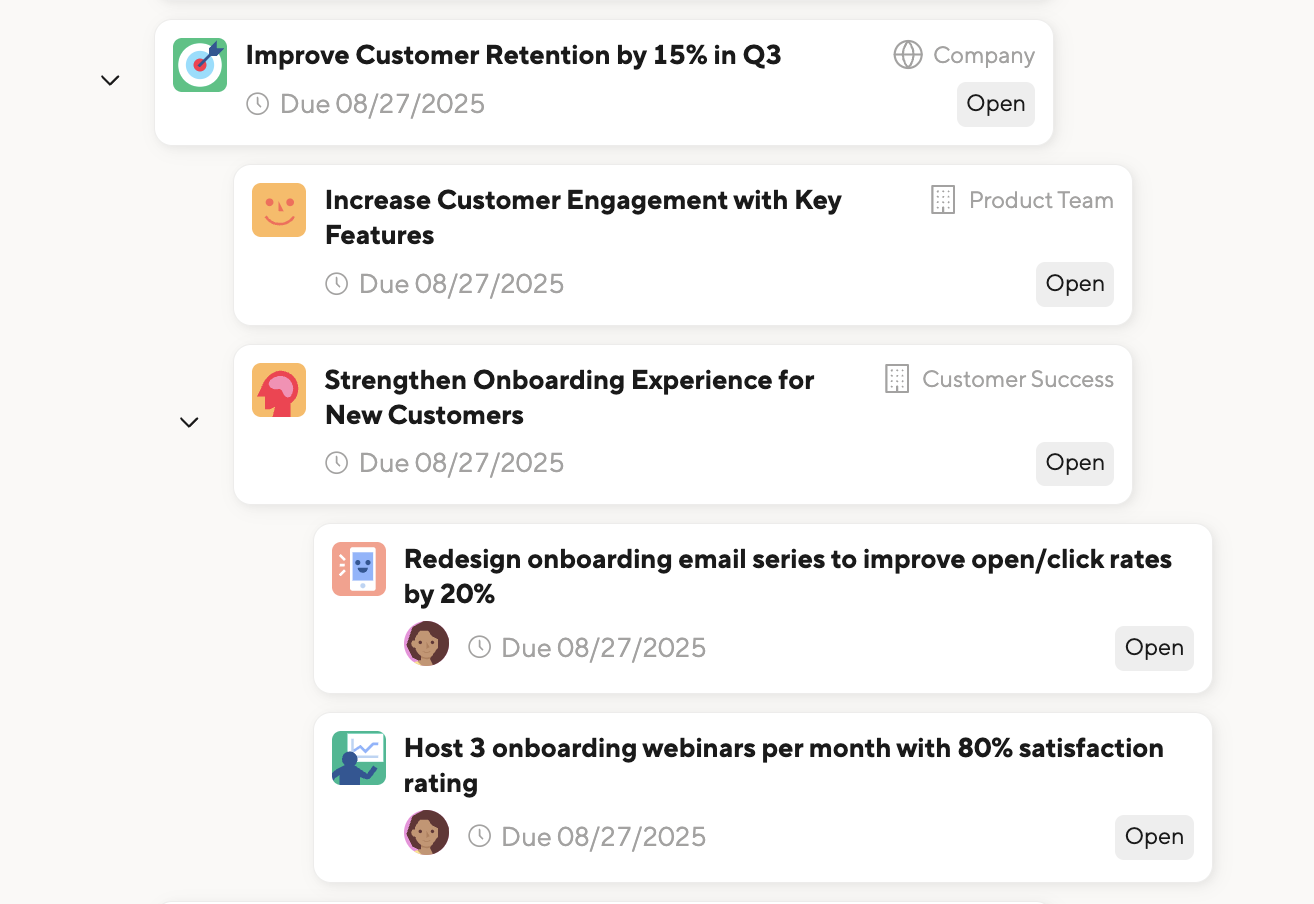
Cascading Objectives is a powerful way to align your teams and drive focused progress.
Link individual Objectives to team, department, or company-wide Objectives, so everyone sees how their work ladders up to the bigger picture.
It’s a simple, lightweight feature that builds alignment, sparks motivation, and makes performance conversations more meaningful.
Plan for Success
Improvement starts with a plan. Whether you want to achieve a professional goal or improve based on performance feedback, our Objectives module is key.
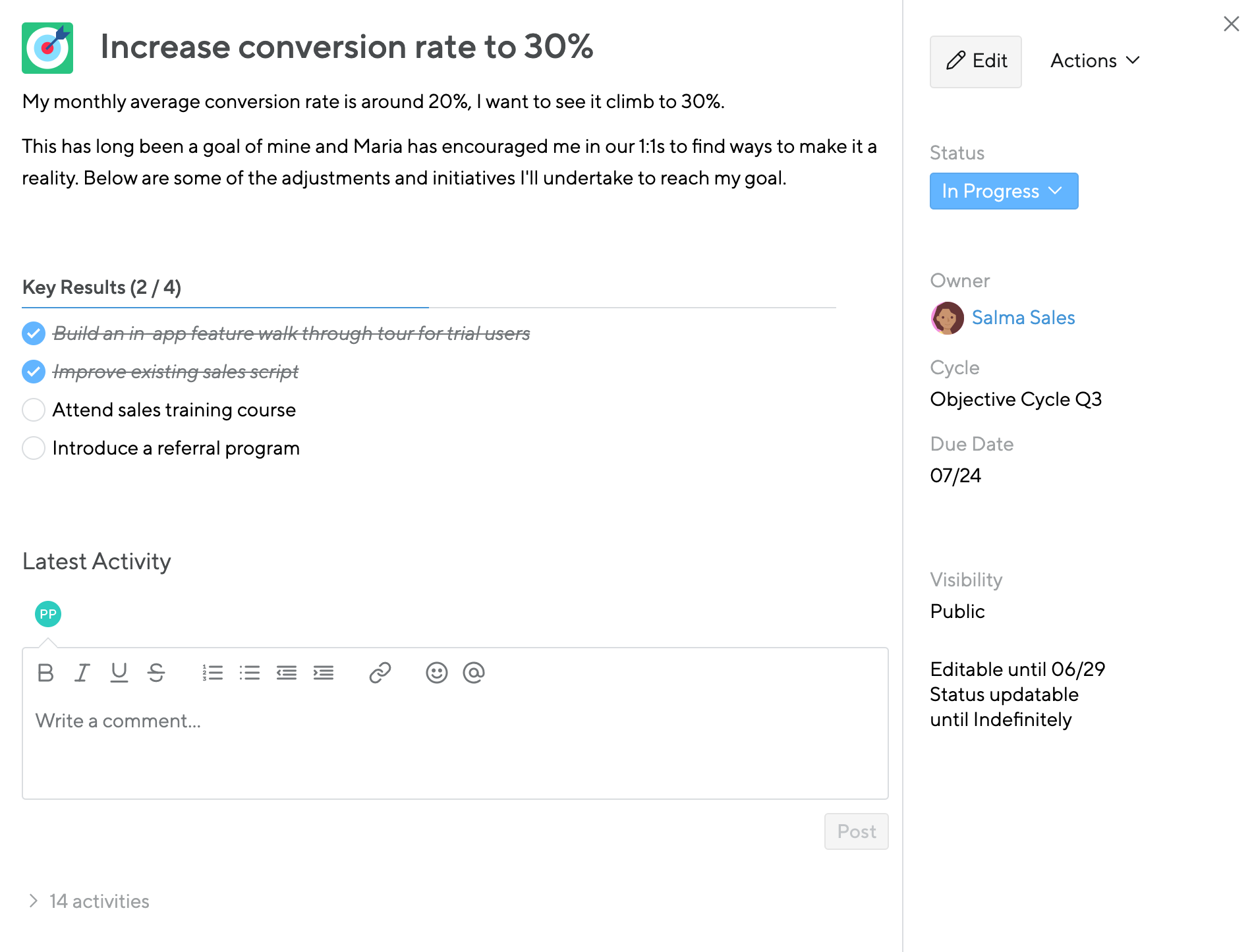
A simple but powerful Objective screen organizes all the details about an objective in one place.
Describe your desired outcome, track key results, and update your status to communicate progress.
Get Immediate Insight
Crafting well-defined and realistic objectives is no easy task. Enter the Objectives Coach.
Small Improvements presents employees with AI-powered suggestions to refine their goals and stay on track, turning objective-setting from a box-ticking formality to an interactive and ongoing part of your routine.

Turn Existing Feedback into Objectives
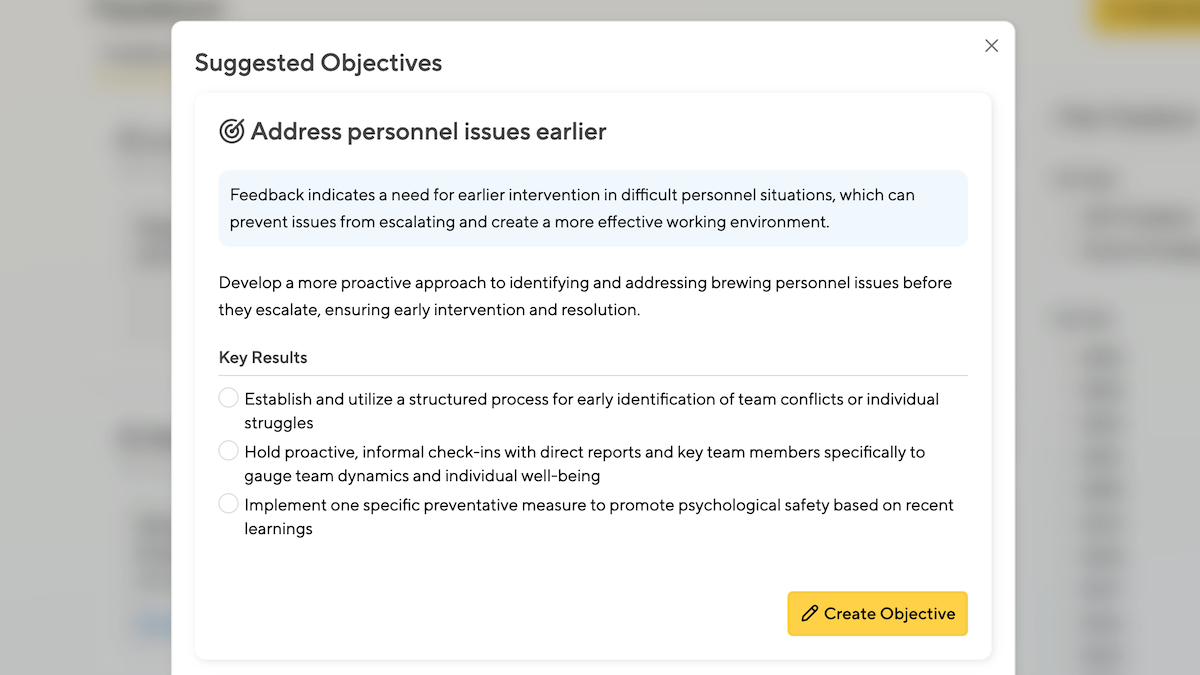
If you’re not sure where to begin, our Feedback-into-Action tool will identify common themes in your peer feedback and suggest relevant objectives to help you hone in on next steps.
Then, leverage the Objectives Coach to continually refine your goals and stay on track.
Katrina Bilella
L&D Associate at Gorilla
Understand your Team Members' Priorities
Want to support a colleague, or get inspiration from their objectives? Just use the team dashboard to quickly find someone’s priorities.
Learn more about browsing peer’s and team members objectives on the Objectives Reporting page.

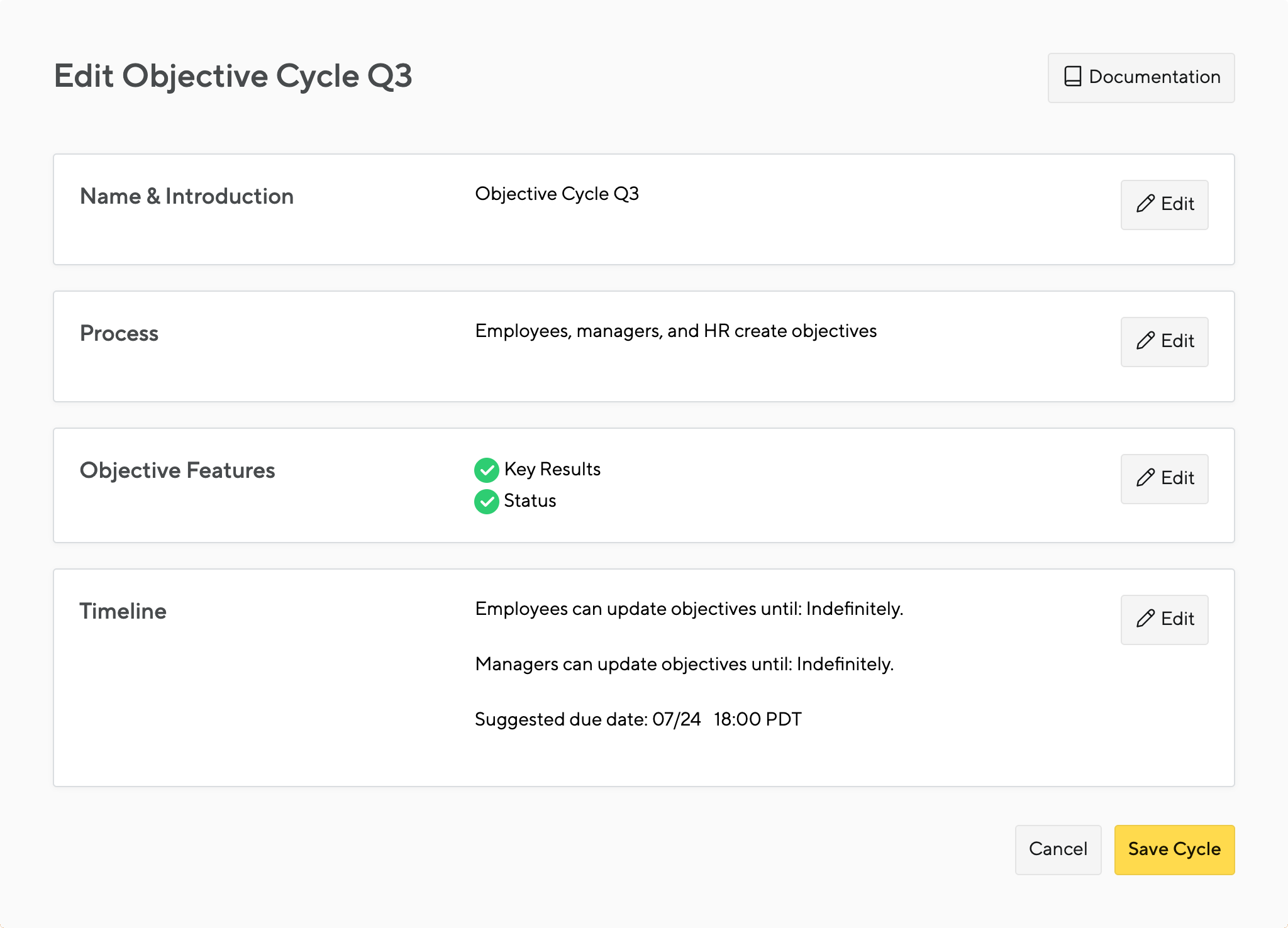
Configure Objectives to Meet Your Team's Needs
Your company’s feedback process should be as distinctive as your company culture.
Admins can provide guidance and structure to their team’s goal-setting process. Do you want a status field or a completion percentage? Should objectives be public by default or private? Should staff assign priority through weighting?
You can configure the settings in Small Improvements to work for you.
Jessica Young
People Operations Manager at Tint
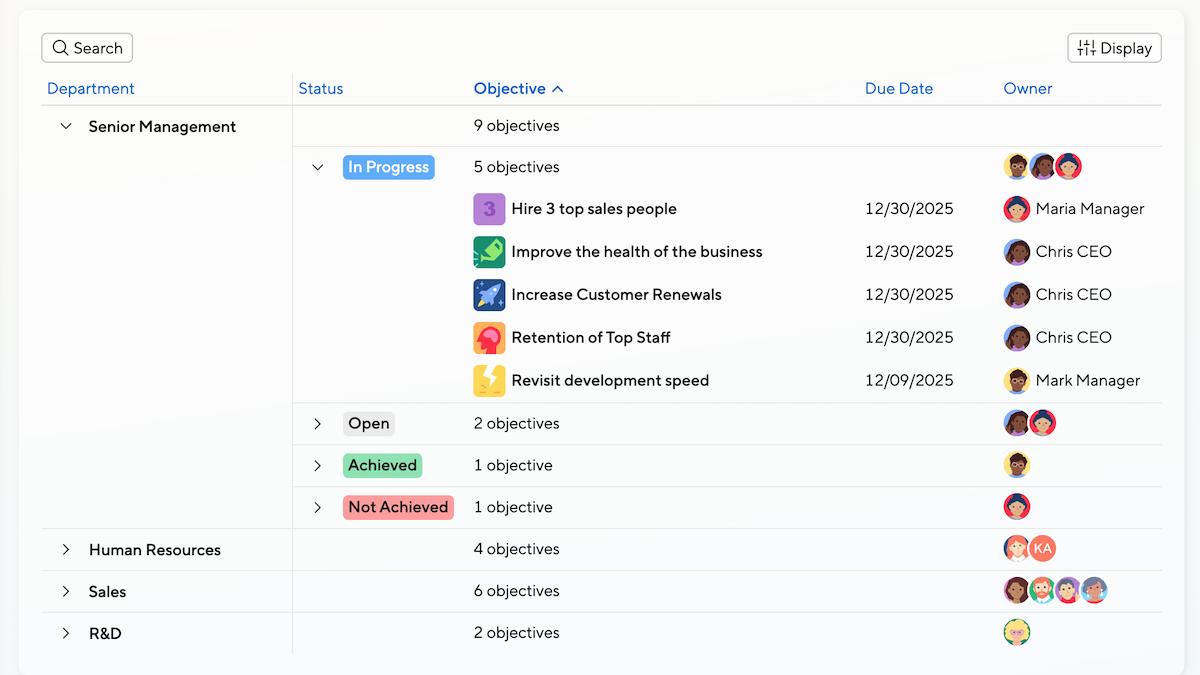
Report and Analyze Across the Company
Easily view your company’s goals and report by department, status, location or all of them.
Learn more about analyzing and tracking your company’s objectives on the Objectives Reporting page.
Stay on Top of Objectives with Slack
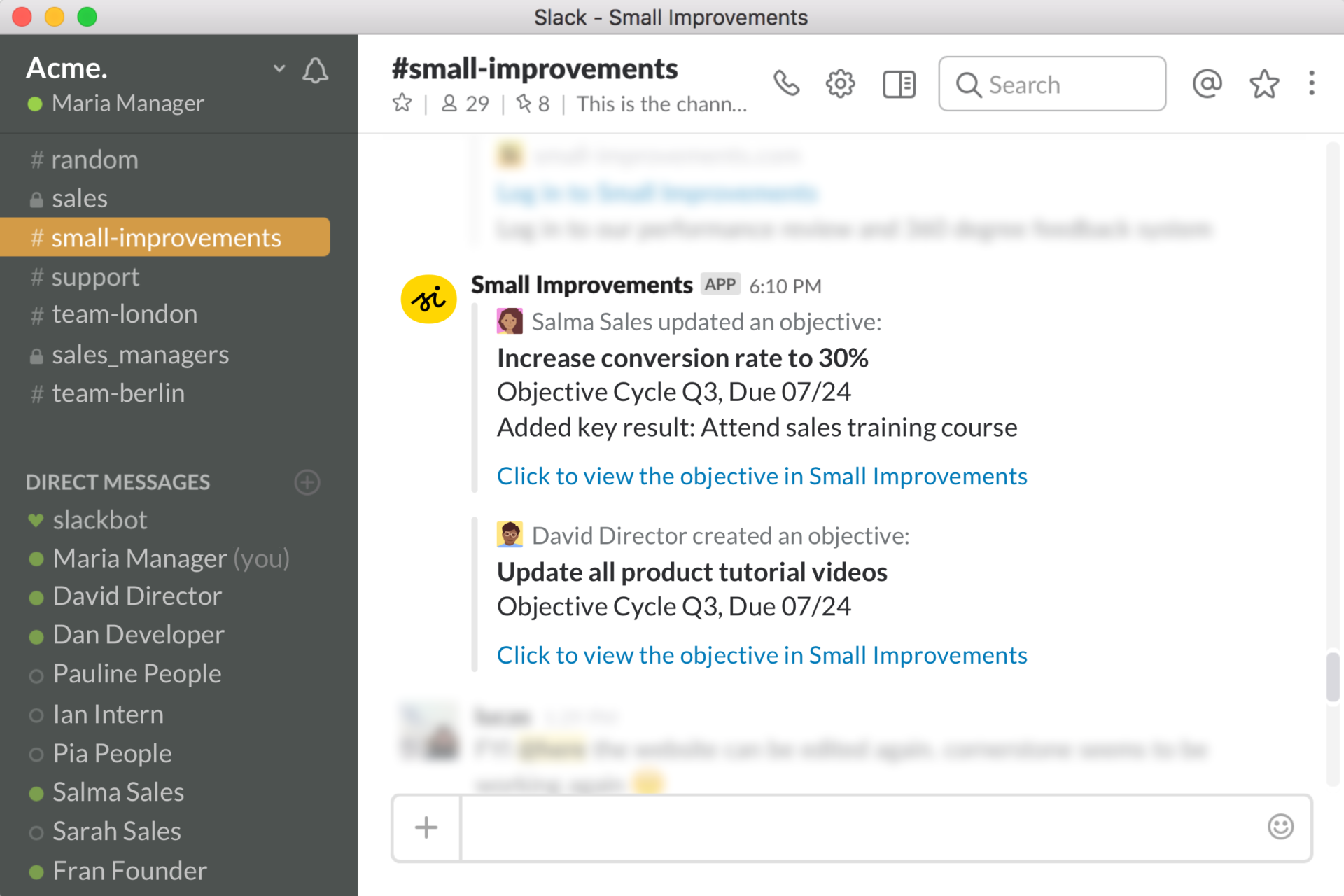
Get real-time updates with our Slack integration. Once configured, all staff receive immediate updates whenever their manager or direct report updates their objective.
Publicly created Objectives will also be served in a Small Improvements channel, so everyone can subscribe to real-time updates about Objectives created within the company.