Goals and Objectives:
New Dashboards
Learn how to search, group and analyze Objectives

New Dashboard for Teams
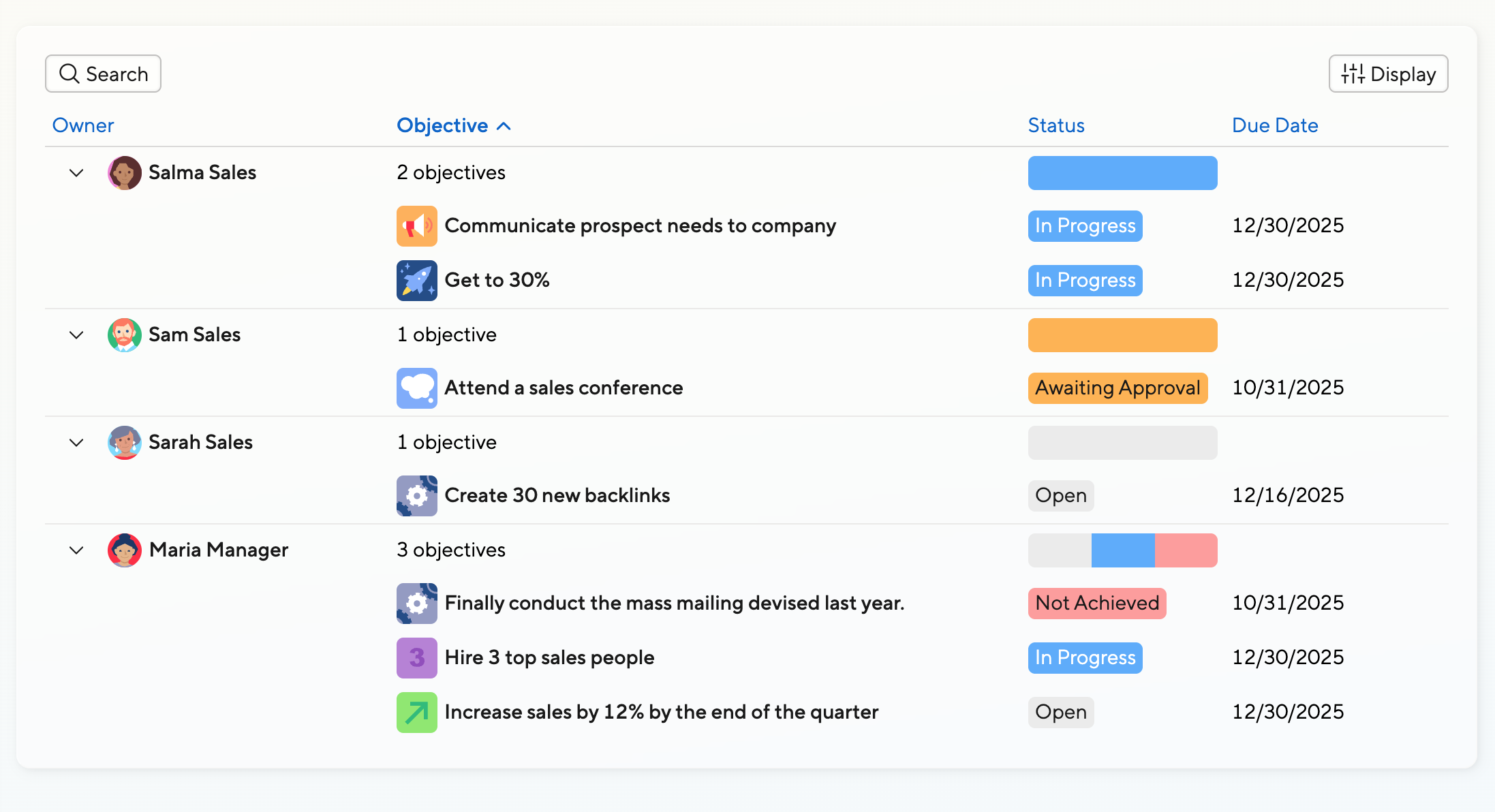
When employees head to the Team tab in the Objectives feature, they’ll see all objectives of their peers (if they are an IC) or of their team members (if they are a manager).
Permissions apply, so in companies where objectives are typically hidden, the list will remain empty.
Objectives are grouped by owner by default, but this can be changed.

Column Selection
Most managers and team managers won’t need to search or report on objectives, but it can be very useful to adjust the columns based on how your company makes use of objectives.
If changing the grouping to none, objectives will look like a simple list instead.
Filtering
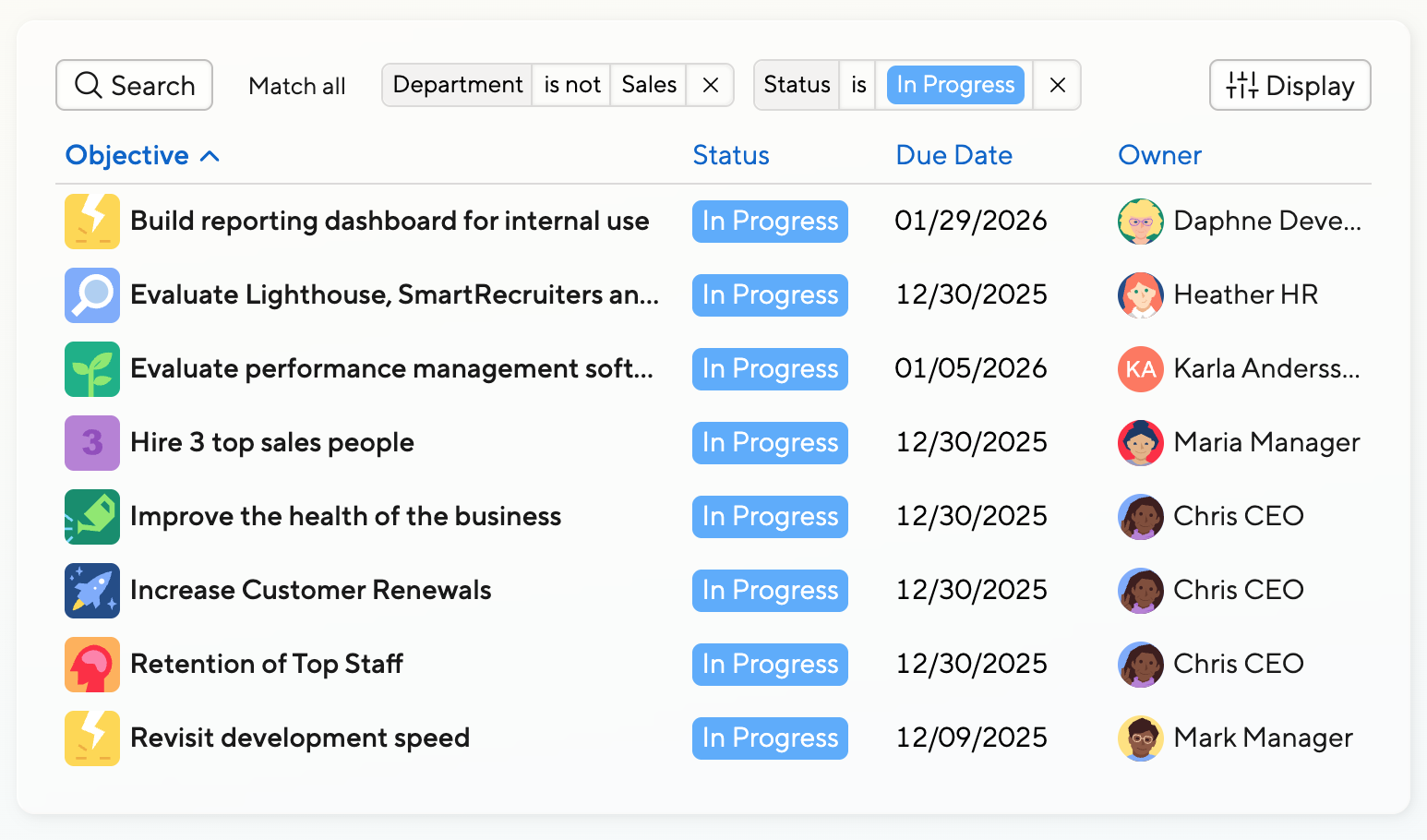
When looking at the whole company, you may want to limit objectives to department or locations. Just use the Search option. You can combine filters or also exclude criteria.
Grouping
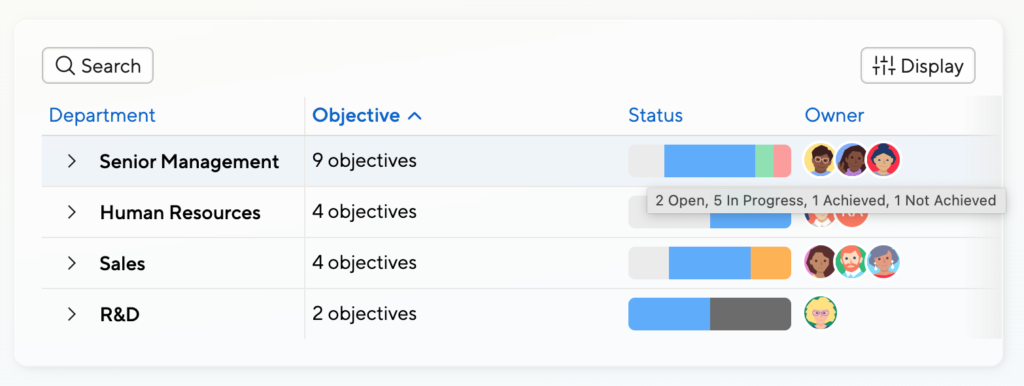
You can use the grouping functionality to look at and report on objectives based on various criteria.
In the screenshot on the side, we group by Department, which allows us to see the status across many objectives and notice which objectives have seen progress already and which are still open.
Grouping Continued
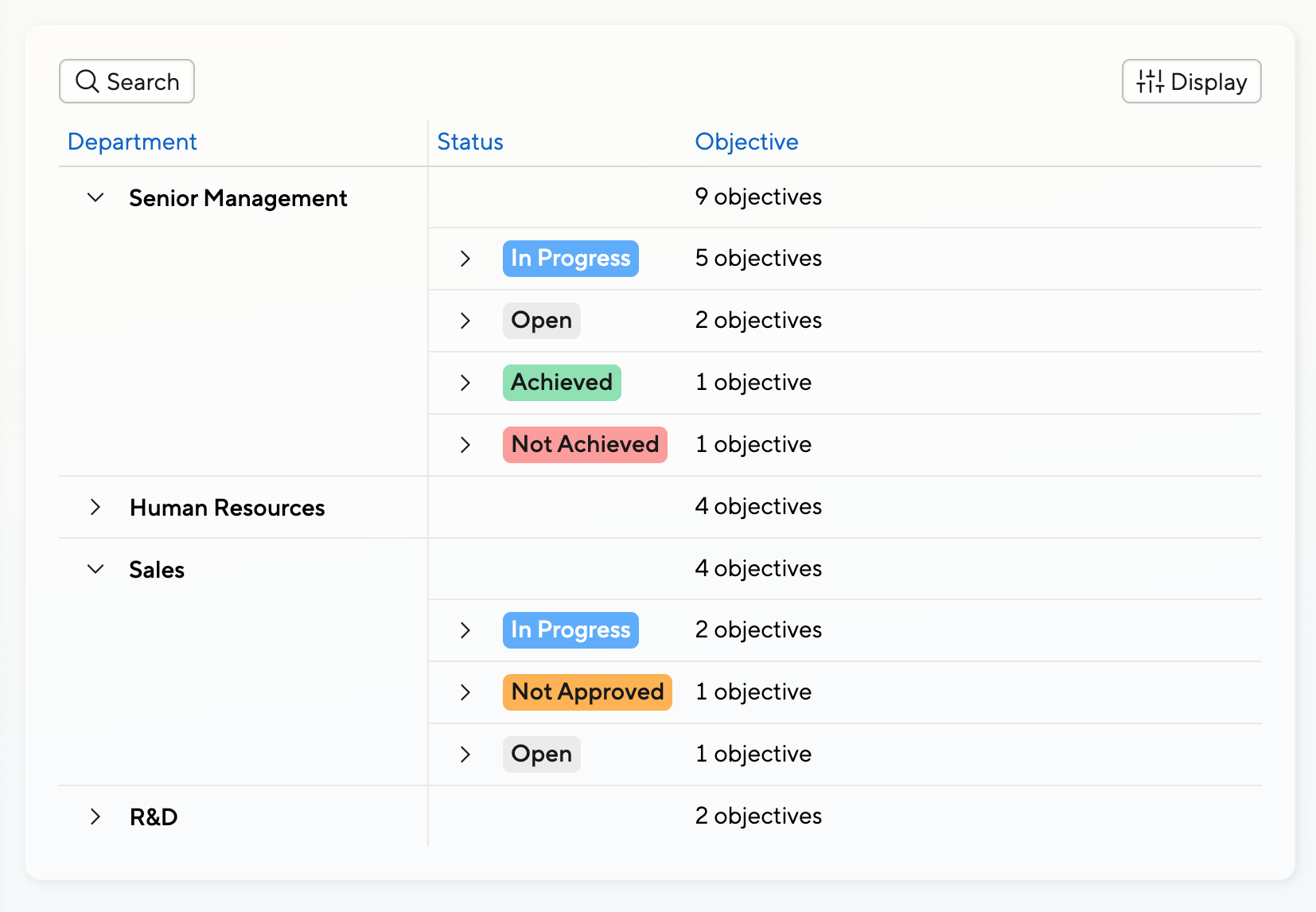
Another way to report is to group by department, then by status. It’s entirely up to your needs how to slice and dice the data.

Got Feedback?
In the next couple of week, we’ll also support loading objectives from multiple cycles into one screen, and to report on additional fields like completion percentage and ratings.
Mid-term we’ll retire the “old” reporting screen that had it’s place but is fairly outdated by now.
As we’re overhauling Small Improvements step by step, we’re also keen to hear your feedback.
Let us know at product@small-improvements.com how you feel the Objectives Dashboards, or Objectives in general, should evolve!