We’re proud to announce two minor improvements today:
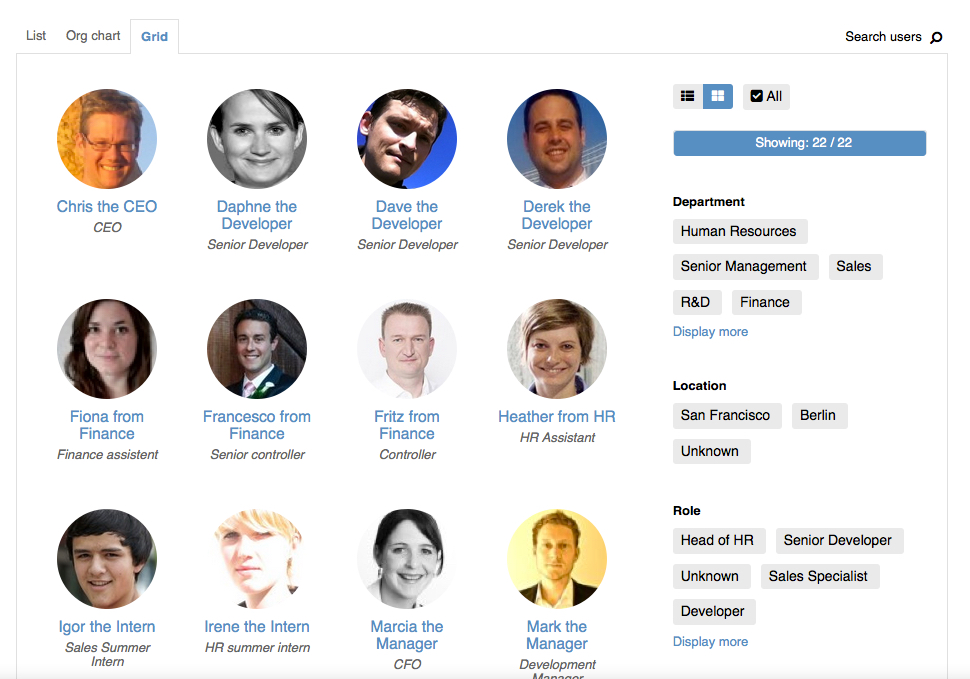
New Gridview tab in the user directory
We’ve added a new tab to the user directory that allows for easier filtering by categories such as department, location and role. At the same time, this tab puts a lot more emphasis on the user’s profile picture, helping you figure out “who was this person from marketing I recently met in the hallway?”. The new tab is placed to the right of the existing ones:
New objectives weightings popup
Another nice improvement was added in the objectives overview. If you’re using the weighting feature, then all objectives within a cycle should add up to 100%. If not, we’ve always displayed a little warning hint. As of today, we also provide a very interactive helper screen to ensure your combined weightings equal 100%:
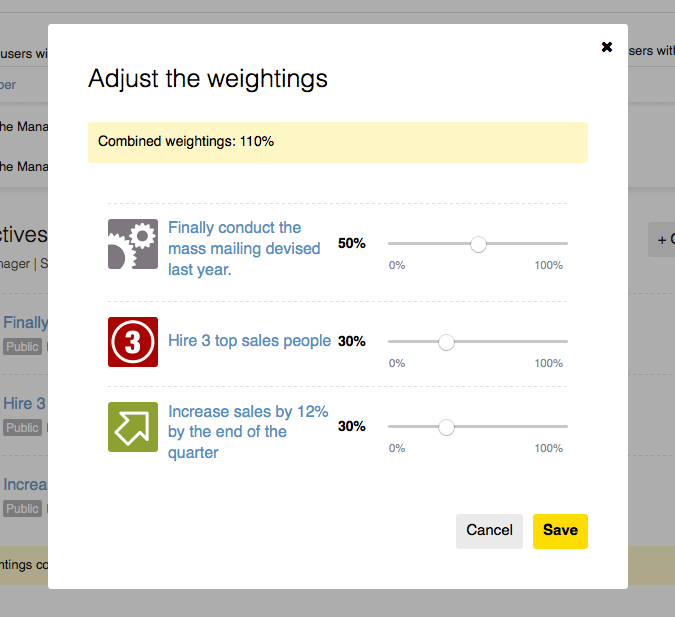
You can trigger that screen from the warning hint underneath each person’s objectives.
But, is this newsworthy?
Admittedly, the two screens are not game changers. The interesting point is, these two features were developed by new staff that joined Small Improvements a mere 3 weeks ago. Similar improvements were made to our backoffice toolset, and many more improvements are being worked on: Expect a neat “mini user profile” popup, user-statistics displayed over time, a lightning fast edit-user overlay, and so on in the next couple of weeks.
The best thing is, our work on the main features isn’t impacted. We’re currently wrapping up the objectives feature overhaul, and we’re hoping to roll it out to evaluators in two weeks, and then to existing customers a few weeks later. The cycle admin screens are up for a refresh next, and we’re also rewriting our user-importers, making CSV/Excel userimports available as self-service feature soon. There’s a huge list of large tasks we’ll work on, but the nice thing is that our ability to slot in additional small improvements just increased dramatically.